 3T Consults and Coaching
SFTP Transfers
Partner files collected on schedule, landed safely, and logged, with nobody logging in to fetch them.
Scheduled pulls from partner SFTP servers into a local or network folder, with encrypted logins and a record of every run. Daily, weekly, monthly or yearly, with resume, safe file naming and optional clean-up at the source.
The challenge
Radiology runs on files that arrive from someone else: an outsourced billing or coding partner, a teleradiology group, an outside facility sending patient or accession lists for a migration. They are posted to the partner's SFTP server, and somebody has to go and get them, often first thing in the morning, before the downstream import runs.
When that somebody is on leave, or the script on an old desktop stops working, nobody notices until the import is empty. The login sits in a batch file in plain text, and there is no record of what was fetched or when.
What it does
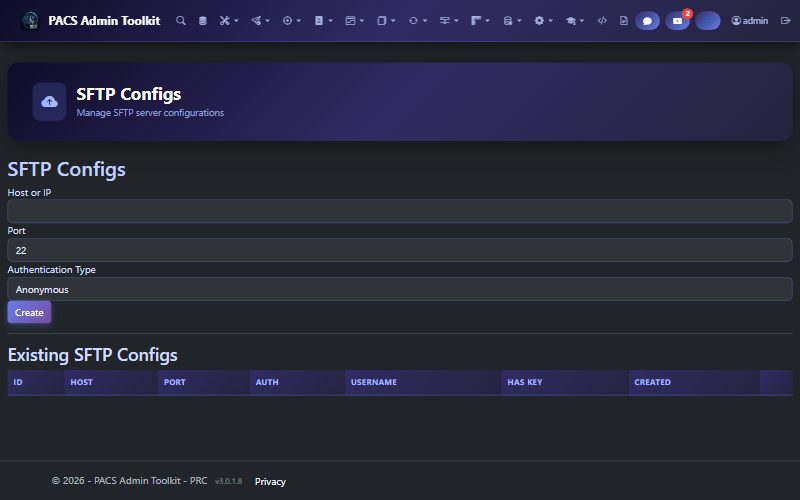
Saved server profiles
Host, port and login (anonymous, username and password, or username and SSH private key with passphrase), encrypted with the server's data-protection keys.
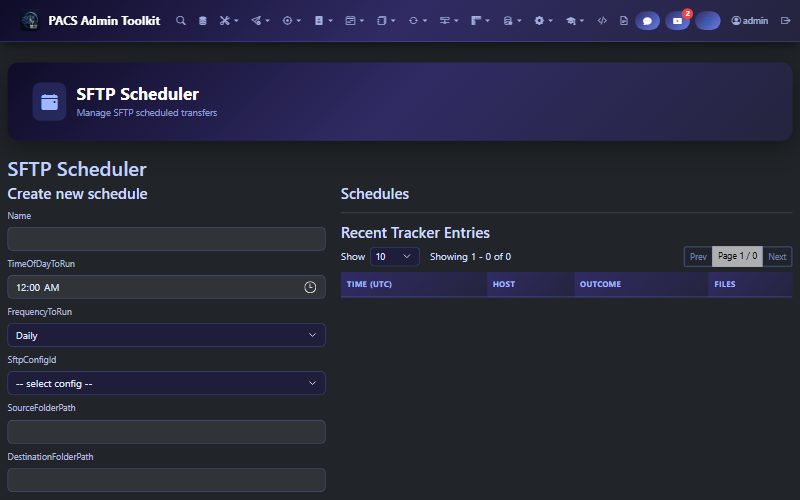
Schedules in plain terms
Daily, weekly on chosen days, monthly on a day number (end-of-month handled), or once a year, at a set time in server local time.
Only the files you want
Name patterns (for example every .csv file, or files starting with REPORT_) pick the files from one remote folder; dot files and sub-folders are left alone.
Lands anywhere you can write
A local or UNC folder, created if missing, optionally written with a dedicated share login instead of the app's own account.
Safe, restartable downloads
Each file is written to a temporary name and renamed only when complete; a file already there with the same size is skipped and a shorter one is resumed.
Optional source clean-up
Remove each file from the partner's server once it is safely in place, switched on only after a few runs look right.
Run now, with a live log
Start a schedule on demand and watch it match and download; it finishes on the server even if the window is closed.
A record of every run
Each run is a tracker entry with time, host, outcome and files moved, listed per schedule and across all schedules.
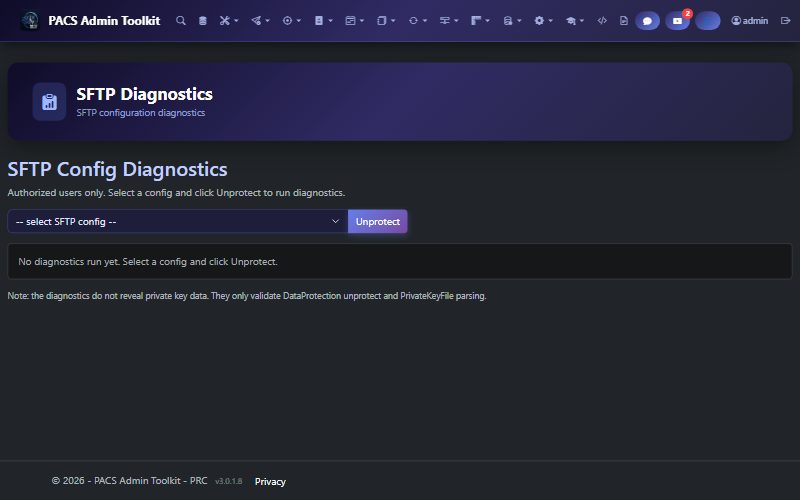
Diagnostics after a move
Check that a stored SSH key can still be decrypted and parsed, useful after moving the app to a new server.
How it works
- Add the server. Host, port and login are saved once and encrypted.
- Schedule the pull. Pick the server, remote folder, local folder, file patterns and when.
- Background check. Every minute PATK runs each enabled schedule that is due; a run missed while the app was down is made up within 6 hours.
- Files land. Matching files download to a temporary name, then take their real name in the destination folder.
- Run recorded. The outcome and the files moved appear in the tracker for that schedule.
Use cases
Nightly files from an outsourced billing partner
Challenge. The billing partner posts charge and remittance files every night; finance needs them on a share by 6 a.m., and a staff member downloads them by hand.
With PATK. A daily 02:00 schedule pulls the .csv files from the partner's outbound folder to the finance share with an SSH key, and removes them at the source after a few clean nights.
Outcome. The files are waiting every morning, including weekends, and a missed file shows as a failed run instead of an empty import.
Report files from a teleradiology group
Challenge. An overnight reading partner drops report files on its SFTP server; the local team copies them into a folder another system reads.
With PATK. A schedule pulls the report files into that folder at the times the partner posts them, writing to the share with a dedicated service login.
Outcome. No manual copying overnight, and a run history that shows when each batch was collected.
Lists from an outside facility during a migration
Challenge. A newly acquired site sends weekly patient and accession lists for the migration team, by e-mail attachment.
With PATK. The site posts the lists to its SFTP server instead; a weekly schedule collects them into the migration team's folder.
Outcome. Patient lists stay off e-mail, and the team always works from the latest file.
Trust · Truth · Transform
Trust
Passwords and private keys are encrypted at rest, files are never half-written under their real name, and source files are removed only when you choose and only after a safe download.
Truth
Every run leaves a tracker entry: when it ran, which host, how many files, and the exact reason when it did not work.
Transform
A daily chore becomes a schedule: staff stop logging in to partner servers, and files are ready before the workday starts.
Value model
An example department collecting three partner feeds every day.
| Assumption | Example value |
|---|---|
| Partner feeds collected by hand today | 3 |
| Staff time per manual collection, including logging in and checking | 15 minutes |
| Collections per year (every day, 3 feeds) | 1,095 (about 275 hours) |
| Late or missed files a year that need chasing and re-running imports | 10, 4 hours each (40 hours) |
| Blended staff cost per hour | $45 |
| Estimated yearly value | $14,200 |
Illustrative only: every assumption is shown so you can replace it with your own numbers. Your results will differ.
Why it stands out
- Not a script on a desktop. Schedules, logins and history live in the same platform as the rest of your PACS administration, with one login and one audit trail.
- Secrets handled properly. Logins are encrypted with the server's data-protection keys instead of sitting in a batch file.
- Built for unreliable links. Resume, skip and temporary-name writes make re-runs safe, where a simple copy job re-downloads or leaves partial files.
- Calendar logic done for you. Weekly days, month-end and leap-year dates and make-up runs after a restart are handled without custom code.
At a glance
| Protocol | SFTP (SSH), pull (download) from the remote server |
|---|---|
| Authentication | Anonymous, username and password, username and SSH private key (with passphrase) |
| Schedules | Daily, weekly (chosen days), monthly (day number), annually; Run now on demand |
| Destination | Local or UNC folder, optional share login |
| Safety | Temporary-name writes, resume and skip by size, optional source removal after success |
| Record | Tracker entry per run (time, host, outcome, files); last 20 runs per schedule |
Screenshots
More in Platform & Integration
Core Platform
Sign-in, security, audit, help and setup that every PATK installation includes.
HL7 Messaging
Receive, log, edit and deliver HL7 with retries, ACK checks and a searchable record.
PostgreSQL Admin
Keep the database behind a 24/7 imaging service healthy, backed up and explainable, without a full-time DBA.
External API
Keys for every system that calls PATK, and a clear view of what each one actually does.
Messenger
Real-time chat, group chats, presence and study links for everyone who works in PATK.
De-identification
Send studies and reports out under stable surrogates, and match the results back to the right patient.
Integration Engine
Channels that receive, filter, transform and route HL7 and DICOM to many destinations, built on the endpoints you already run.
Master Patient Index
Recognise one patient across facilities, IDs and systems, with the confidence and the reasons shown.
Not a medical device. PACS Admin Toolkit is not FDA-cleared or CE-marked and is not intended for primary diagnosis. It manages imaging and reporting data and workflows around the clinical systems that do.
Other product and company names may be trademarks of their respective owners. Screenshots show sample data. Value models are illustrative estimates, not guarantees.