 3T Consults and Coaching
Core Platform
Sign-in, security, audit, help and setup that every PATK installation includes.
The always-included foundation under every module: users and roles, MFA and AD / LDAP sign-in, the audit trail and logs, configuration and branding, storage monitoring, and built-in guides, tours and video training. It is part of every license, never priced separately.
The challenge
Every imaging tool brings its own admin console, its own user list, its own way of logging and its own binder of screenshots that went out of date two upgrades ago. New staff learn each one from a colleague, and when an auditor asks who changed a setting last March, the answer is spread across several systems.
Running several tools also means several installers, several sign-in setups and several support contracts, each configured differently by whoever happened to install it.
What it does
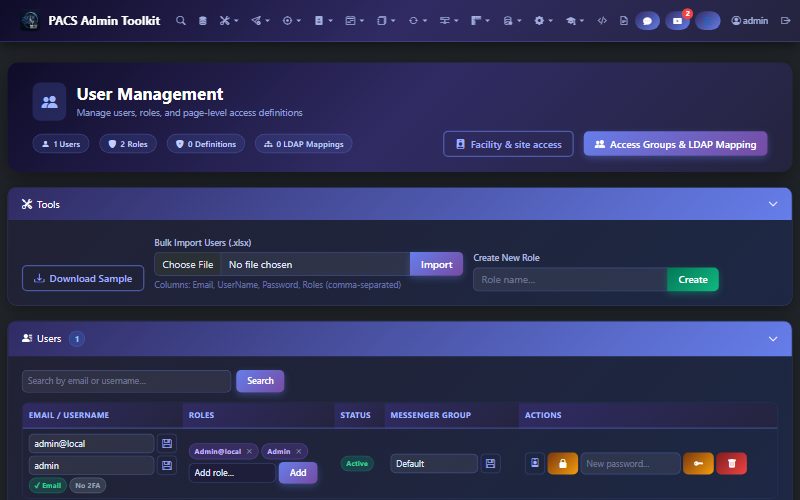
Users, roles and page permissions
Role definitions give read, create, edit, delete and export per page, with hidden fields; self-registered accounts wait in a holding pen until an administrator approves them. Ready-made Administrator, User, Read-only and API integration access roles (toolset × kind of action, with break-the-glass for configuration and bulk changes) can be copied, adjusted and assigned to people, groups and API keys, and previewed in Effective Access; existing access is carried over automatically, and a rollout page switches them on safely (Off, Shadow with a would-deny report, then Enforce) without locking out the last administrator; break-the-glass lets people unlock a marked action for a short time with a reason, by approval or (where allowed) in an emergency, with notices, an audit trail and a review list.
Strong sign-in
Two-factor authentication with an authenticator app (required for configuration pages), AD / LDAP sign-in across several domains over LDAPS with automatic account creation, and optional Windows sign-in.
AD groups do the work
Map AD groups to app roles and admin or user access, and test what a person would get before relying on it.
A full audit trail
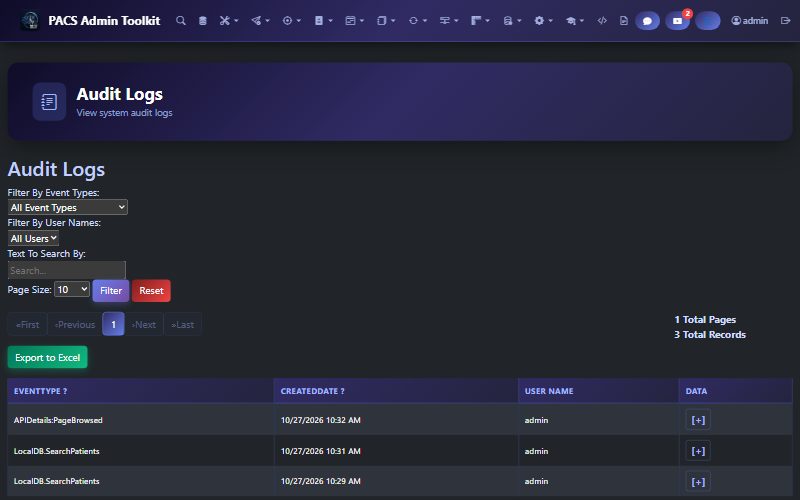
User, role, configuration and API changes, deletions and views of sensitive lists are audited with user, time and client IP; search it, export it to Excel, and prune only with an explicit permission and confirmation.
Logs you can read in the browser
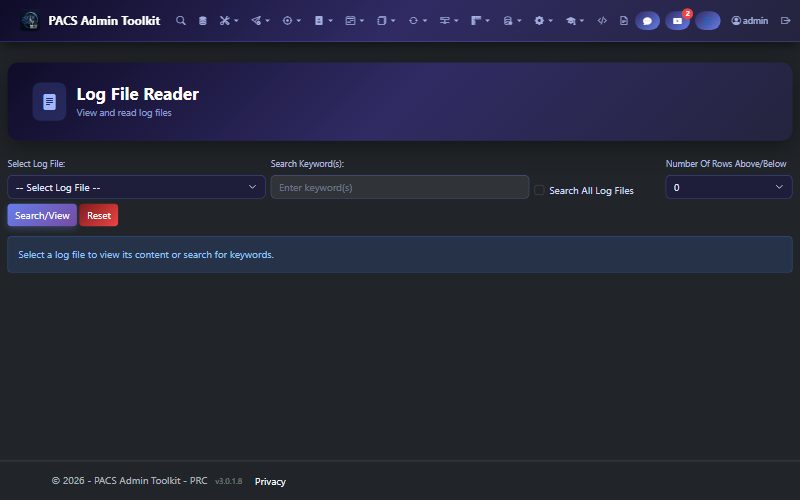
The Log Reader searches every log file with context lines; the Log File Manager prunes on a schedule.
Help built in
A guided tour on every page, one section guide per toolset, tour links for runbooks (add ?tour=1), and three PDFs with each version: the Administrator Guide, the Installation and Upgrade Guide and the DICOM Conformance Statement.
Video training made in the app
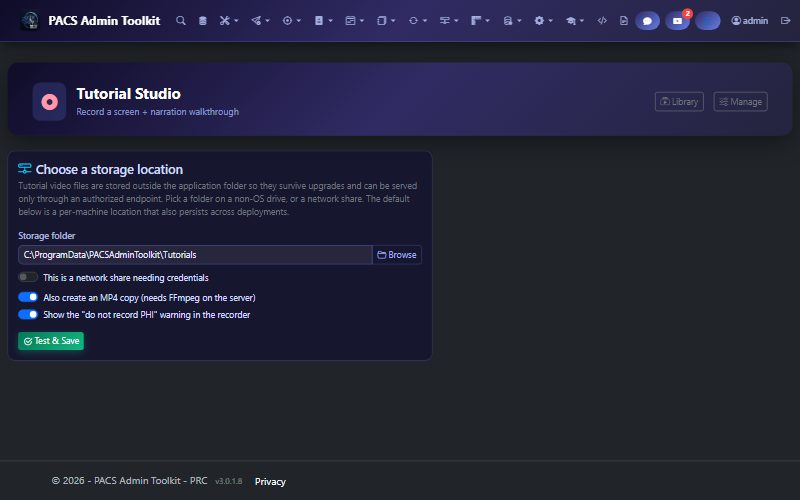
The Tutorial Studio records screen and narration with chapters; videos appear in a library and on the page they teach, with viewing analytics.
Configuration and branding
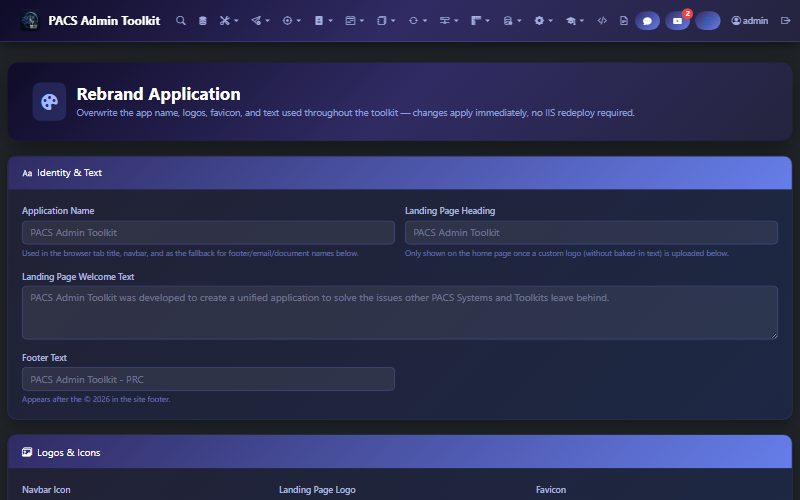
SMTP with a test email, secret values masked, and Rebrand for the app name, logos and the names used in emails and generated documents.
One Alert Center
Alerts on what the DICOM and HL7 rules actually see (a sender a rule did not expect, images no rule matched, failing or filtered messages, a feed gone quiet, a new sender, traffic outside its usual weekly pattern) and on data store and database disk space, with acknowledge, reminders, quiet hours, a resolved message, e-mail, users, roles and webhooks. Integration alerts and routes marked down are listed alongside.
Storage watched
DICOM data stores and the database disks are checked every 5 minutes; an Alert Center alert warns before a store reaches its high-water mark, and a nearly full store is skipped in favour of the next.
Easy to install and onboard
One setup program installs prerequisites, the app and the IIS site, with an unattended mode for many servers; the Laurel Bridge import reads existing Compass, Waypoint and Navigator configuration exports and reports what would come across, at no extra cost.
How it works
- Install. One setup program, with the wizard or unattended, puts PATK on IIS with PostgreSQL.
- First run. The setup wizard connects the database, creates the first administrator and applies the license.
- People in. Bulk import, AD / LDAP sign-in or approved self-registration, with roles and MFA.
- Work and learn. Every page has its tour, guide and videos; every change is audited.
Use cases
One product, purpose-built instances
Challenge. A multi-site radiology group needed several single-purpose imaging services: an HL7-triggered fetcher feeding an AI platform, an SR measurement to HL7 server, a PDF to Secondary Capture converter, a manual priors fetcher and a long-term SR report archive.
With PATK. Each job runs on its own PATK instance, rebranded for its purpose so users know which one they are in, with the same sign-in, audit, logs and help everywhere.
Outcome. Five services that look and behave alike to administer, one product to learn and support instead of five separate tools.
Onboarding a new PACS administrator
Challenge. A new administrator joins, and the senior admin has no time to walk them through every tool.
With PATK. They follow the section guides and take each page's tour, then watch the department's own recorded videos for local procedures.
Outcome. The newcomer works from the same up-to-date material as everyone else, and the senior admin answers questions instead of giving tours.
Preparing for a security audit
Challenge. An auditor asks who changed user roles and configuration over the last year, and how sign-in is protected.
With PATK. The audit log, filtered by event type and date, exports to Excel; MFA status shows on every user row, and configuration pages require it.
Outcome. Evidence is produced in an hour from one place, not assembled from several systems over days.
Trust · Truth · Transform
Trust
MFA, AD / LDAP over LDAPS, per-page permissions, approval for self-registered accounts, masked secrets and an audit trail that can only be pruned deliberately.
Truth
The audit log and log files show who did what and what the app was doing; storage alerts warn before a store fills; the License page shows what is used.
Transform
One sign-in, one audit trail and one set of help across every module, with training that is always about the version installed.
Value model
An example department estimating the yearly value of built-in training material and a single audit trail.
| Assumption | Example value |
|---|---|
| New or rotating staff onboarded per year | 10 |
| Learning hours saved per person with tours, guides and videos | 6 (60 hours) |
| Trainer hours saved per person | 3 (30 hours) |
| Audit and compliance requests per year, hours saved on each | 12 x 4 hours (48) |
| Blended staff cost per hour | $55 |
| Separate wiki, training or screen-recording tool avoided per year | $3,000 |
| Estimated yearly value | $10,600 |
Illustrative only: every assumption is shown so you can replace it with your own numbers. Your results will differ.
Why it stands out
- Help that keeps up. Shipped tours refresh with each upgrade unless your team has edited them, and the PDFs describe exactly the installed version, unlike a wiki that drifts.
- Security included, not an add-on. MFA, AD / LDAP and auditing come with every license, where separate tools often charge for them or leave them out.
- The same everywhere. Every module and every instance shares one sign-in, one audit trail and one look, rather than one admin console per tool.
- Onboarding from legacy routing products. The Laurel Bridge import is part of the platform, so analysing an existing setup costs nothing extra.
At a glance
| Identity | Local accounts, AD / LDAP (multi-domain, LDAPS), optional Windows sign-in, authenticator-app MFA |
|---|---|
| Permissions | Roles, role definitions per page (read / create / edit / delete / export), path rules, account approval; access roles (built-in templates, toolset × action grid, assignments per unit, automatic upgrade, Off / Shadow / Enforce rollout, break-the-glass with approval or emergency self-elevation and review) |
| Audit and logs | Searchable audit log with Excel export, protected pruning; Log Reader and scheduled log pruning |
| Help | Guided tour on every page, section guides, Tutorial Studio and library, three versioned PDFs |
| Configuration | SMTP, branding and document branding, licensing, data retention windows, storage high-water alerts |
| Installation | Windows Server, IIS, PostgreSQL; setup program with wizard or unattended mode; first-run setup wizard |
Screenshots
More in Platform & Integration
HL7 Messaging
Receive, log, edit and deliver HL7 with retries, ACK checks and a searchable record.
SFTP Transfers
Partner files collected on schedule, landed safely, and logged, with nobody logging in to fetch them.
PostgreSQL Admin
Keep the database behind a 24/7 imaging service healthy, backed up and explainable, without a full-time DBA.
External API
Keys for every system that calls PATK, and a clear view of what each one actually does.
Messenger
Real-time chat, group chats, presence and study links for everyone who works in PATK.
De-identification
Send studies and reports out under stable surrogates, and match the results back to the right patient.
Integration Engine
Channels that receive, filter, transform and route HL7 and DICOM to many destinations, built on the endpoints you already run.
Master Patient Index
Recognise one patient across facilities, IDs and systems, with the confidence and the reasons shown.
Not a medical device. PACS Admin Toolkit is not FDA-cleared or CE-marked and is not intended for primary diagnosis. It manages imaging and reporting data and workflows around the clinical systems that do.
Laurel Bridge, Compass, Navigator and Waypoint are trademarks or registered trademarks of Laurel Bridge Software, Inc. PACS Admin Toolkit is an independent product of 3T Consults and Coaching and is not affiliated with, sponsored by, or endorsed by Laurel Bridge Software, Inc.
Other product and company names may be trademarks of their respective owners. Screenshots show sample data. Value models are illustrative estimates, not guarantees.