 3T Consults and Coaching
SR Sync
Find the structured reports that never arrived, and move them where they belong, on a timetable.
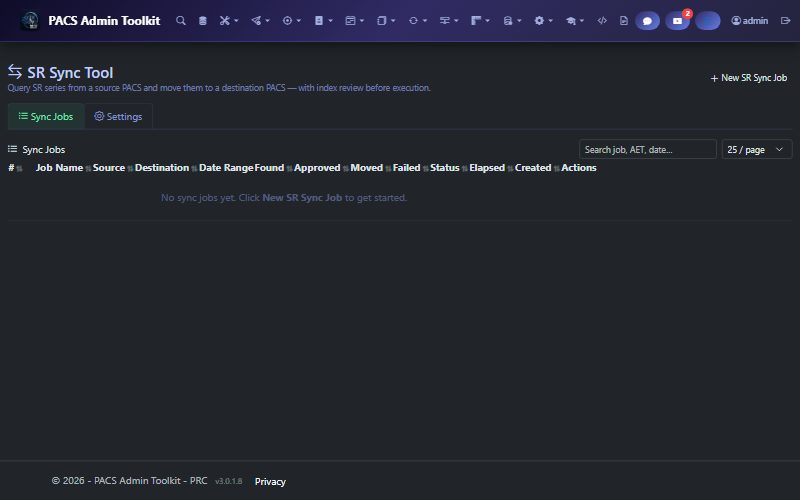
Finds SR series on one PACS by date window and DICOM conditions, lets you review the list, and C-MOVEs them to another system. Schedules, backup sources and failover keep reporting systems and archives complete without anyone running queries by hand.
The challenge
Measurement SRs from ultrasound, echo and DEXA are only useful if they reach the system that reads them: the reporting interface, a second archive or a report repository. When a listener goes live late, an interface is down for a weekend or a modality is pointed at the wrong destination, the missing SRs are invisible until a sonographer or a radiologist asks where the numbers went.
Catching up means someone querying the PACS by date, exporting a list, picking the right series by eye and moving them one batch at a time. It is slow, it is easy to miss a day, and nobody can say afterwards exactly what was sent.
What it does
Find by date window
A series-level C-FIND for modality SR over fixed dates or a dynamic window such as yesterday, last full week, last full month or since the last run.
Conditions on any tag
Equals, contains, wildcards, lists, regular expressions, date ranges and empty checks on any DICOM tag; the tool shows whether each one is sent to the PACS or checked on the results, and re-checks them all.
SR-object checks
Tags that live on the SR itself, such as Completion Flag, Verification Flag and SOP Class UID, add an image-level query, so only final, verified SRs are kept.
Review before anything moves
Every series found is listed with the condition values and a summary of what each condition removed; untick what you don't want, then approve the C-MOVE.
Schedules
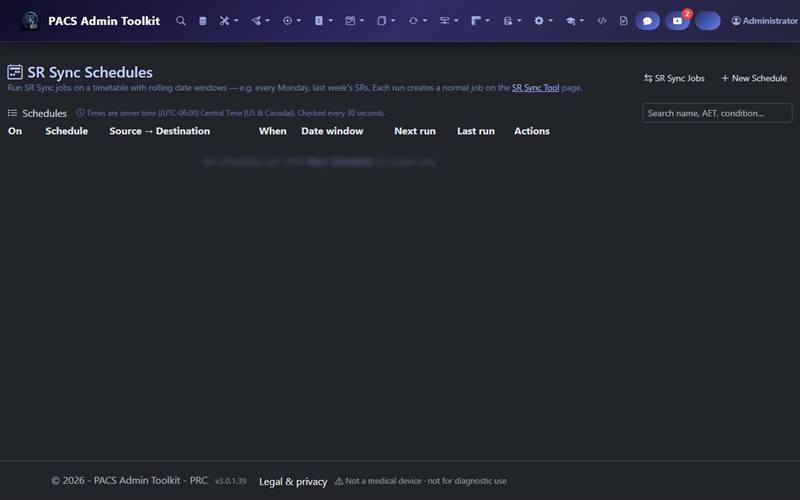
Every N hours, daily, weekly or monthly, with a rolling window, an automatic C-MOVE and an optional hold limit that stops an unusually large run for review.
Long backfills that finish
The index is built one day at a time, busy days are split into 6-hour then 1-hour windows, failed days and moves are retried automatically, and a restart resumes where it stopped.
Backup sources and several destinations
Up to five backup sources chosen by C-ECHO, and destinations served to all or first-success-wins with automatic failover around a destination that is down.
E-mails that say what happened
One e-mail when a job is ready for review or finished, and a separate alert when a job ends with failures, each with a link to the job.
How it works
- Define the window. Pick the source, the destination and a fixed or rolling date window.
- Add conditions. Narrow by description, series number, flags or any other tag.
- Build the index. PATK queries the PACS day by day and applies every condition to the results.
- Review or auto-approve. Check the list, or let a schedule move it within its hold limit.
- Move and confirm. Series-level C-MOVEs run, failures retry, and series already moved are skipped.
Use cases
Back-loading SRs after a reporting interface goes live
Challenge. The SR-to-report interface went live this week; last month's echo measurements never passed through it.
With PATK. A one-off job with last month's dates and "Series Description contains ECHO" builds the list, the review confirms it, and one approval moves every series to the SR listener.
Outcome. A month of SRs back-loaded in an afternoon, with a record of every series sent and every day queried.
Weekly catch-up of final SRs only
Challenge. A few SRs a week miss the real-time route, and preliminary SRs must not be re-sent.
With PATK. A Monday 02:00 schedule queries last full week, keeps only Completion Flag COMPLETE and Verification Flag VERIFIED, skips anything already moved and sends the rest automatically.
Outcome. Gaps close every week without anyone remembering to look, and the run history shows what each week caught.
Keeping two archives in step during a consolidation
Challenge. After a merger, SRs land on two PACS nodes, and the report repository must hold all of them even when one node is down for maintenance.
With PATK. Both nodes are listed as sources in order; each run uses the first that answers and returns to the primary when it recovers, and the destinations use first-success-wins with failover.
Outcome. Maintenance windows stop creating SR gaps, and the job log says whenever a backup source or destination was used.
Trust · Truth · Transform
Trust
Nothing moves without a review or an explicit automatic setting with a hold limit; series are never sent twice, schedule toggles and Run now need their own permissions, and route order changes are audited.
Truth
See exactly which series were found, which conditions removed which ones, the exact C-FIND that was sent, and the result of every day and every move.
Transform
Manual query-and-move sessions become a schedule that runs at night and e-mails you only when a run needs a look.
Value model
An example department that catches up missed SRs by hand each week and needs one six-month backfill.
| Assumption | Example value |
|---|---|
| PACS administrator time for a manual weekly SR catch-up | 3 hours (156 hours a year) |
| SRs found missing by users and chased individually per year | 360 |
| Time to trace and resend one missing SR by hand | 10 minutes (60 hours a year) |
| Blended staff cost per hour | $50 |
| One-time backfill quoted as a separate services project, avoided | $6,000 |
| Estimated first-year value | $16,800 |
Illustrative only: every assumption is shown so you can replace it with your own numbers. Your results will differ.
Why it stands out
- Honest about the PACS. It tells you which conditions the PACS filters and which it checks itself, so a PACS that ignores a query key never adds or hides series, unlike a plain query-and-move script.
- Built for months, not minutes. Day-by-day indexing, time splitting, saved retries and restart resume make a six-month backfill finish, where an ad hoc C-FIND times out or hits a result cap.
- Resilient by configuration. Backup sources, several destinations and failover are settings, not custom code in an interface engine.
- Part of the same platform. Works hand in hand with the SR to HL7 listener, DICOM destinations and the route health monitor, with one login and one audit trail.
At a glance
| Standards | DICOM C-FIND (series and image level), C-MOVE (series level), C-ECHO |
|---|---|
| Windows | Fixed dates, dynamic dates (-7d, -1m), yesterday, last N days, last full week / month, since the last run |
| Conditions | Any DICOM tag, 15 operators, request or results matching, image-level SR checks |
| Scheduling | Every N hours, daily, weekly, monthly; Run now; hold limit; skip already moved |
| Resilience | Up to 5 backup sources, all or first-success destinations, auto failover, automatic retries |
| Notifications | Ready-for-review e-mail, failure alert e-mail (SMTP) |
Screenshots
More in Reports & Results
DICOM to HL7
Images and reports arriving as DICOM become the HL7 messages your RIS and EHR expect.
SR Measurements to HL7
Ultrasound, echo and DEXA measurements flow into results, PowerScribe and PDFs, not retyped.
Report to SR
Put the report in the PACS beside its images, from HL7 feeds or historic report files.
PDF to Secondary Capture
Encapsulated PDFs in, viewable DICOM images out, sent on to the PACS without a click.
Study Sharing
Share stored studies with patients, referring doctors and sites, and record every look.
Not a medical device. PACS Admin Toolkit is not FDA-cleared or CE-marked and is not intended for primary diagnosis. It manages imaging and reporting data and workflows around the clinical systems that do.
Other product and company names may be trademarks of their respective owners. Screenshots show sample data. Value models are illustrative estimates, not guarantees.