 3T Consults and Coaching
SR Measurements to HL7
Ultrasound, echo and DEXA measurements flow into results, PowerScribe and PDFs, not retyped.
Receives the measurement SRs that ultrasound, echo, DEXA and other modalities produce and turns them into HL7 results, PowerScribe order custom fields and PDF worksheets. Templates match each machine automatically, and a Tech Approval Form catches anything that needs a human check.
The challenge
A sonographer measures twenty values on an echo, and then someone types them again: into a worksheet, into the reporting system, into the result. Every retyped number is staff time, and every one is a chance for a digit to land in the wrong field.
The modality already wrote those measurements into a DICOM Structured Report. The hard part is that every machine, model and software version encodes them differently, and a vendor upgrade can silently break an integration that worked yesterday.
What it does
An SR listener per workflow
Modalities send measurement SRs to an AE title and port; the modality gets its success at once and delivery happens in the background.
Templates that find themselves
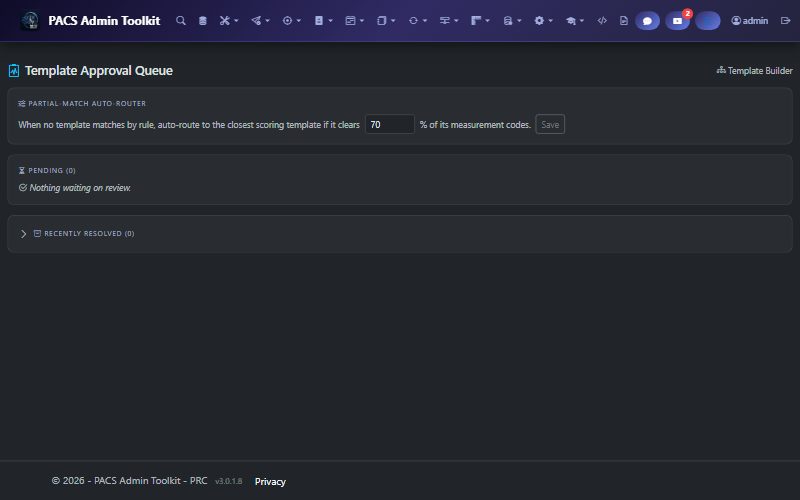
Match rules (manufacturer, model, study description, software version) pick the template; a new software version or a close partial match is queued for approval instead of failing.
Nothing silently lost
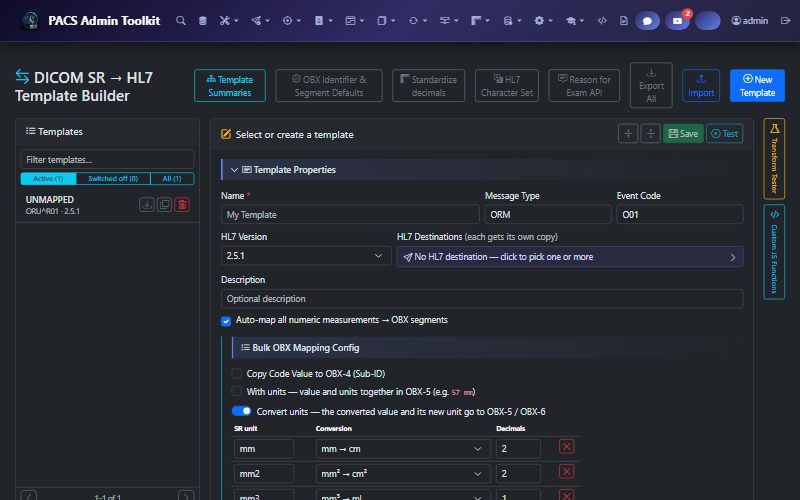
SRs no template matches land on the built-in UNMAPPED template for a tech to review; if even that fails, the modality is told to retry.
Measurements to named fields
Map SR measurements, calculations and static or dynamic values to named HL7 Custom Fields, with unit conversion and transforms, or auto-map every numeric measurement to OBX.
Auto-process or tech approval
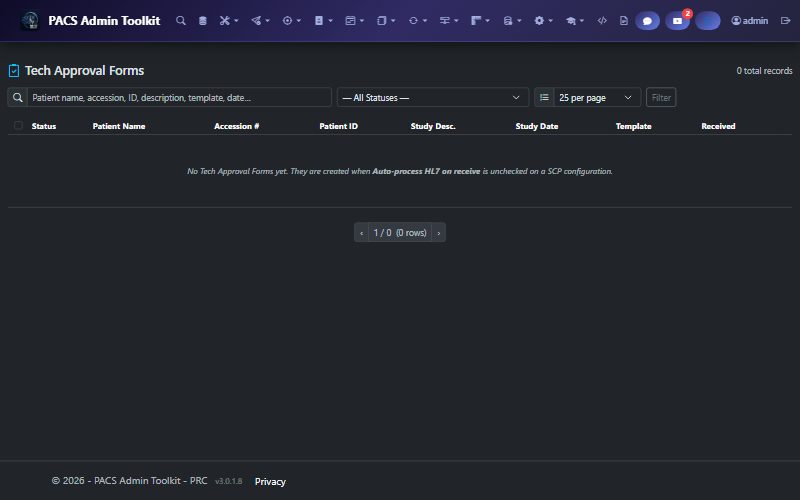
Global or per-template conditions decide which studies send automatically; the rest become a Tech Approval Form to check, fix and approve, one at a time or up to 500 at once. Studies that send automatically get an approved form too, so every study has a record to review, export or re-send, and a failed delivery waits there to be fixed.
Into PowerScribe
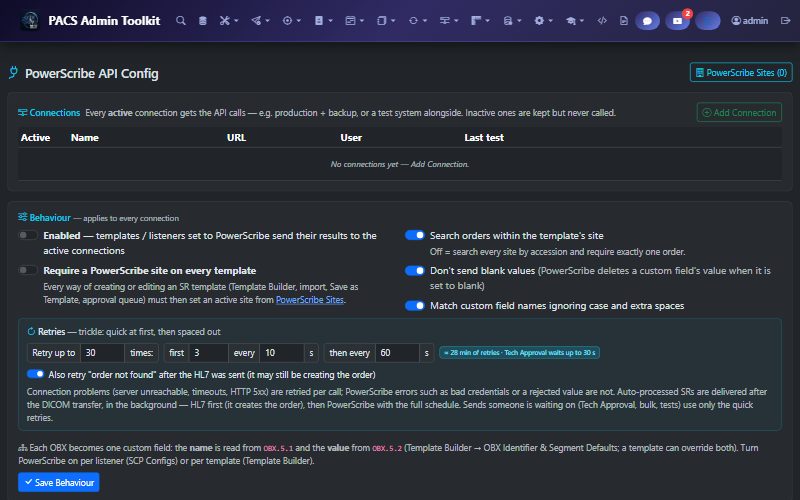
The HL7 creates the order, then each result becomes an order custom field through the PowerScribe API, with a dry run and a send log.
Reason for exam kept
A lookup from your own API or from orders PATK receives writes the reason into the result, so it never blanks the reason on the order.
PDF worksheets and document exports
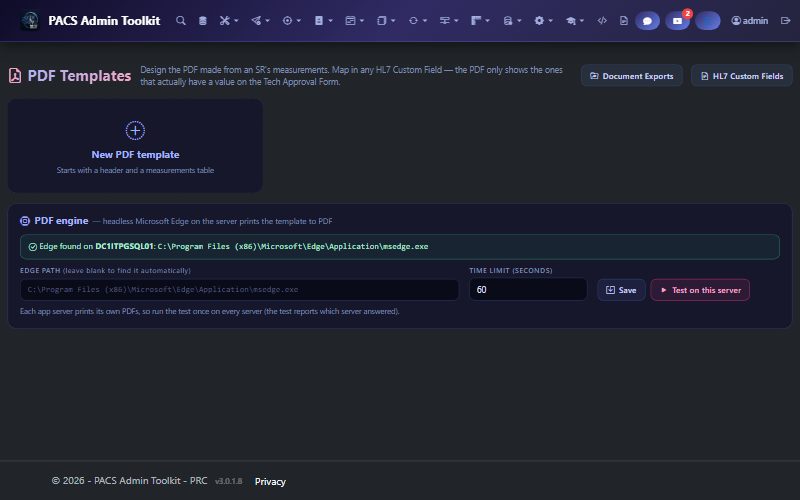
Design PDF templates from ready-made layouts (dark, print, compact, branded and more) with your logo and your own page and table colours, then write the PDF and a metadata file to a folder, SFTP or FTPS when a study is auto-processed or approved.
One master template per machine
Template Consolidation merges many per-study templates, with a dry run and an undo.
How it works
- SR arrives. The modality sends its measurement SR to an SR listener.
- Template matched. Listener templates, then other templates, software variants, partial matches and finally UNMAPPED.
- Gate or review. Auto-process conditions pass, or a Tech Approval Form waits for a tech.
- Results built. Measurements fill the HL7 Custom Fields, plus the reason for exam.
- Delivered. HL7 over MLLP, PowerScribe custom fields and the PDF worksheet export.
Use cases
Multi-site radiology group, a dedicated measurement server
Challenge. Ultrasound and echo rooms across several sites each produce measurement SRs, and the reporting system needs them as HL7 results.
With PATK. A PATK instance rebranded for this one job receives every room's SRs, matches each machine's template and sends the results to the reporting system; techs approve only the exceptions.
Outcome. Measurements reach the report without retyping, from one server the group runs and monitors itself.
Measurements into PowerScribe
Challenge. Radiologists want the echo measurements already in their report as PowerScribe custom fields.
With PATK. A PowerScribe connection is tested and its sites assigned to templates; custom field names match PowerScribe's, and a dry run shows current and new values before anything is written.
Outcome. Values arrive as order custom fields, ready in the report template, with every send logged.
Vendor software upgrade on a fleet of ultrasound carts
Challenge. An upgrade changes the software version in every SR, which usually breaks integrations overnight.
With PATK. When the new SRs still carry every mapped measurement, a template copy for the new version is created automatically; otherwise a variant request waits in the approval queue while forms hold the studies.
Outcome. No silent gaps: studies either keep flowing or wait visibly for one approval.
Worksheets for the document system
Challenge. Each approved DEXA or echo study needs a PDF worksheet that the document-imaging system imports from a share.
With PATK. A document export profile writes the PDF and a six-column metadata line on approval, renaming files only when complete so the importer never sees half a file.
Outcome. The worksheet appears in the document system without anyone printing or scanning.
Trust · Truth · Transform
Trust
SRs are never acknowledged and dropped; ACKs are checked per destination; a re-sent SR with changed data puts its form back to Pending; template changes from non-Admins wait for approval.
Truth
The Processed UID Audit Log records every SR with its template and status, beside PowerScribe and export logs and Template Summaries that show overlaps and gaps.
Transform
Measurement entry disappears for auto-processed studies, and a new machine becomes a template from one approved form.
Value model
An example multi-site group with ultrasound, echo and DEXA studies that today have measurements retyped.
| Assumption | Example value |
|---|---|
| Measurement studies per year | 20,000 |
| Staff time saved per study (no retyping) | 3 minutes |
| Transcription corrections avoided per year (1% of studies) | 200 |
| Time to find and correct one wrong value | 15 minutes |
| Blended staff cost per hour | $50 |
| Estimated yearly value | $52,500 |
Illustrative only: every assumption is shown so you can replace it with your own numbers. Your results will differ.
Why it stands out
- Handles real fleets. Software-version variants, partial matches and UNMAPPED fallbacks keep working through upgrades that break fixed mappings in middleware.
- People stay in control. Tech Approval Forms and the approval queue put a human check exactly where the data is uncertain.
- Three outputs from one source. HL7, PowerScribe fields and PDF worksheets share the same named fields, configured once.
- Same platform. Uses the HL7 destinations, logging and access controls of the rest of PATK.
At a glance
| Standards | DICOM SR storage (C-STORE), C-ECHO; HL7 v2 over MLLP with ACK checking; PowerScribe API (compatible integration target) |
|---|---|
| Inputs | SR listeners (AE title, port, allowed SOP classes, skip rules), HL7 order feed for reason for exam |
| Controls | Match rules, auto-process conditions, template approval queue, partial-match threshold |
| Tools | Template Builder, Tech Approval Forms, Template Consolidation, Template Summaries, PDF templates, document exports |
| Housekeeping | Retention windows for forms, audit trail and PowerScribe logs (off by default) |
Screenshots
More in Reports & Results
DICOM to HL7
Images and reports arriving as DICOM become the HL7 messages your RIS and EHR expect.
Report to SR
Put the report in the PACS beside its images, from HL7 feeds or historic report files.
SR Sync
Find the structured reports that never arrived, and move them where they belong, on a timetable.
PDF to Secondary Capture
Encapsulated PDFs in, viewable DICOM images out, sent on to the PACS without a click.
Study Sharing
Share stored studies with patients, referring doctors and sites, and record every look.
Not a medical device. PACS Admin Toolkit is not FDA-cleared or CE-marked and is not intended for primary diagnosis. It manages imaging and reporting data and workflows around the clinical systems that do.
PowerScribe is a trademark of its respective owner; it is named only to describe compatibility. No endorsement is implied.
Other product and company names may be trademarks of their respective owners. Screenshots show sample data. Value models are illustrative estimates, not guarantees.