 3T Consults and Coaching
Priors Fetch
One click from the reading worklist to every prior, fetched to every place it is needed.
A priors browser that the reading worklist or any other system opens in context with an API key. Users see the patient's studies from every archive, what each destination already holds, and fetch the ones they want to one or many destinations.
The challenge
Automatic prefetch never covers everything. A radiologist reading a case wants the old outside study, the exam from the partner hospital's archive, or a series that did not come over. Today that means a phone call or a message to the PACS team, who query one archive after another and send the study wherever it is needed.
Many PACS can only fetch from a fixed source to a fixed place, one study at a time. Groups that read for several sites end up with staff doing the same lookups in several vendor screens.
What it does
Context launch
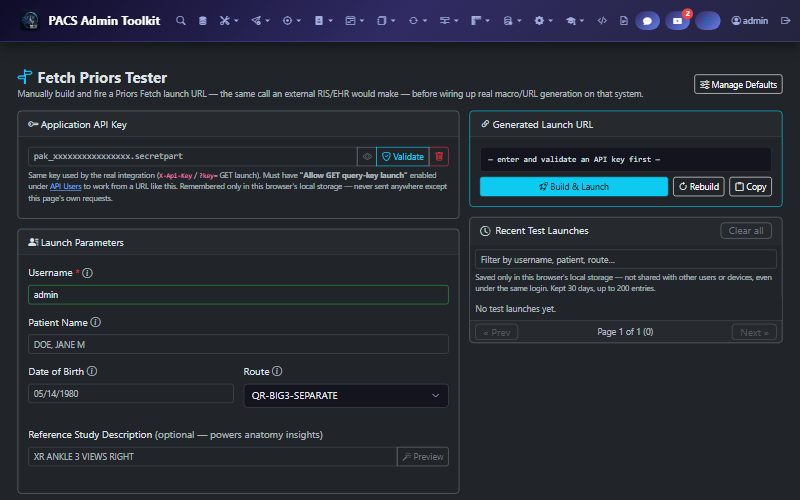
The calling system opens a priors page with the patient ID, or name and birth date, and a route, using its own application API key; the user needs no separate login.
Every archive at once
A profile names the sources to query; results from each appear as they answer, with study, series and image detail on demand.
What is already there
Each study shows a traffic light for the duplicate-check destinations: at none, at some, or at all of them, with "hide already retrieved" to clear the list.
Many destinations per fetch
One fetch moves the selection to every destination in the profile, at study, series or image level.
Filters for long histories
Description keywords, age, modality chips and grouping by anatomy narrow a long history to the relevant studies.
Matching you control
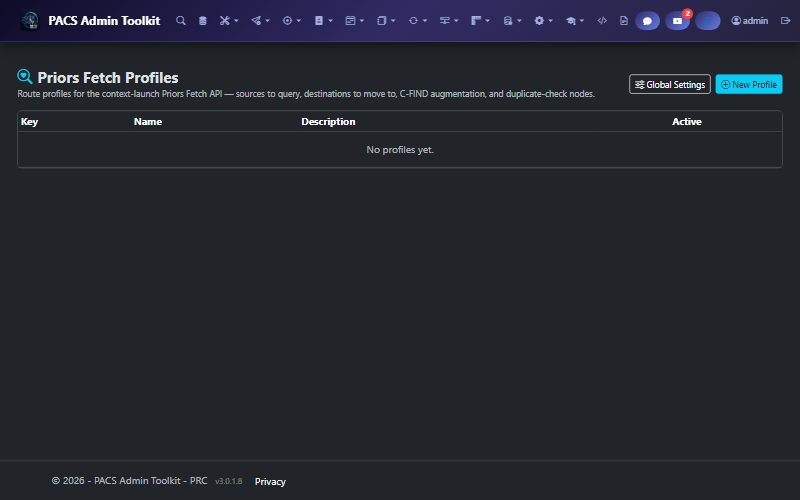
Profiles can inject the Issuer of Patient ID, set a date window, exclude modalities, override AE titles per source or destination, and match names flexibly when no patient ID is given.
Runs in the background
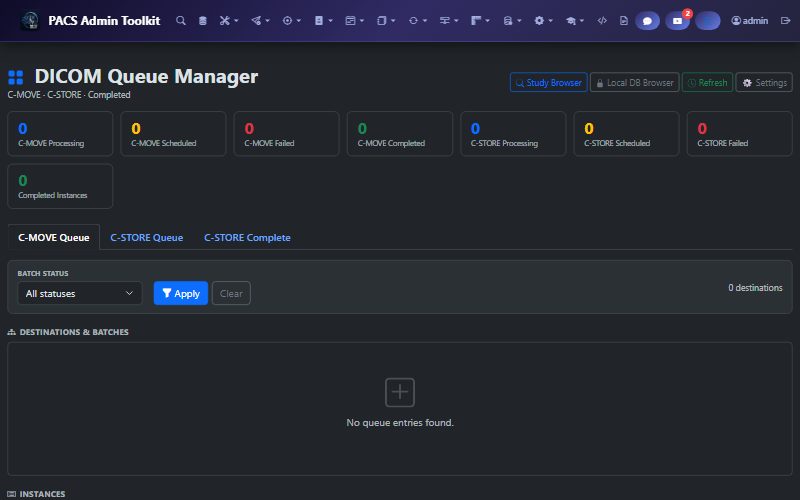
Fetches go through the DICOM queue with level-aware concurrency limits and keep running if the browser is closed.
Audited and expiring
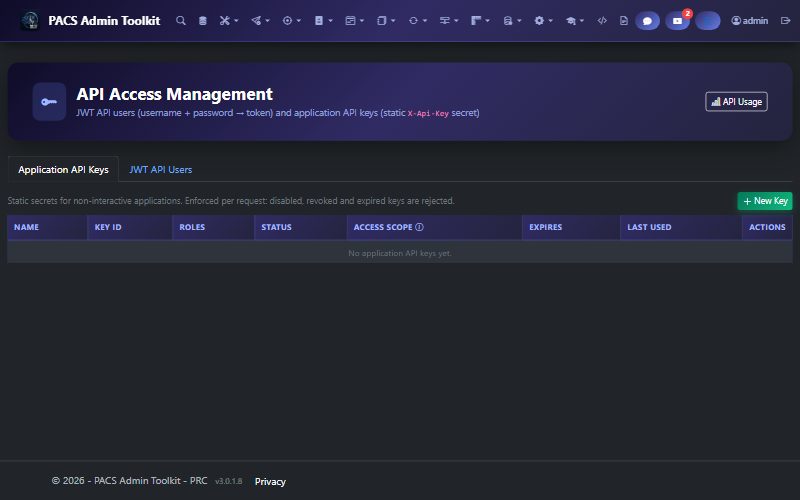
Each launch and fetch is audited with the API key used and the patient searched; launch links expire and keys can be disabled, expired or revoked.
How it works
- Launch. The worklist, PACS or another system calls the launch API with its key, the patient and a route.
- Search. PATK C-FINDs every source in the profile and checks each destination for studies it already has.
- Choose. The user filters the list and ticks the studies, series or images to fetch.
- Fetch. C-MOVEs are queued to every destination in the profile and run in the background.
- Track. Progress shows in the page; the queue and audit log keep the record.
Use cases
On-demand priors for a multi-site radiology group
Challenge. A multi-site radiology group's PACS fell short on dynamic, multi-destination, on-demand fetching of priors from several archives.
With PATK. A dedicated instance, rebranded with Config, Rebrand as a "Manual DICOM Fetcher", gives readers a priors page that queries every archive and fetches to each reading PACS in one action.
Outcome. Readers pull what they need themselves, and the PACS team stops relaying priors requests.
Teleradiology reading for several hospitals
Challenge. After-hours radiologists read for hospitals whose histories live in different archives under different MRNs.
With PATK. Each hospital gets a profile that injects its issuer and queries its archives; the reading worklist launches the right profile for the case.
Outcome. Priors from the right archive, for the right patient ID domain, without a call to the hospital overnight.
Hospital network after an acquisition
Challenge. A newly acquired hospital's studies are still in its legacy archive, while the network reads on its own PACS.
With PATK. A profile lists both archives as sources and the network PACS as destination; the traffic light shows which priors have already been brought over.
Outcome. Legacy priors are available on request throughout the transition, before any migration finishes.
Trust · Truth · Transform
Trust
Each calling system has its own API key that can expire or be revoked; launch links expire; every launch and fetch is audited without storing the key.
Truth
Users see which archive holds each study and which destinations already have it, and the queue shows every move with its result.
Transform
Priors requests stop being phone calls and tickets; the person reading fetches what they need in a few clicks.
Value model
An example radiology group handling on-demand priors requests through PATK instead of through PACS staff.
| Assumption | Example value |
|---|---|
| On-demand priors requests per year (32 per working day) | 8,000 |
| PACS staff time saved per request (lookups in several archives, sends to each destination) | 4 minutes |
| PACS staff cost per hour | $50 |
| Radiologist waiting time saved per request | 30 seconds |
| Radiologist cost per hour | $240 |
| Estimated yearly value | $43,000 |
Illustrative only: every assumption is shown so you can replace it with your own numbers. Your results will differ.
Why it stands out
- Many sources, many destinations. One page searches every archive and fetches to every destination, which fixed-route PACS fetch screens rarely allow.
- Shows what is already there. The duplicate check avoids re-sending studies a destination holds.
- Opens in context. A simple API launch from any worklist or PACS, with no extra login for the reader.
- One platform. Uses the same destinations, queue and audit as routing, prefetch and HL7 fetching.
At a glance
| Standards | DICOM C-FIND and C-MOVE at study, series and image level; REST launch API |
|---|---|
| Launch | POST or GET /api/priors/launch with an X-Api-Key application key; patient ID or name and birth date; route |
| Profiles | Sources, destinations, duplicate-check destinations, issuer injection, date window, excluded modalities, AE overrides |
| Tools | Priors Fetch Profiles, Fetch Priors Tester |
| Controls | Expiring links, key expiry and revocation, audited launches and fetches |
Screenshots
More in Imaging & Routing
DICOM Routing
Receive, fix and forward every image, with nothing lost when a destination goes down.
DICOM Tools
Find, move, import, test and tidy studies from one browser, without a ticket to the PACS vendor.
Prefetching & HL7 Fetching
The order arrives, and the right studies are already on their way to where they are needed.
Auto Forward Rules
Send each study to the right reader at the right time, without a second router.
Not a medical device. PACS Admin Toolkit is not FDA-cleared or CE-marked and is not intended for primary diagnosis. It manages imaging and reporting data and workflows around the clinical systems that do.
Other product and company names may be trademarks of their respective owners. Screenshots show sample data. Value models are illustrative estimates, not guarantees.