 3T Consults and Coaching
DICOM Tools
Find, move, import, test and tidy studies from one browser, without a ticket to the PACS vendor.
The everyday PACS administrator's workbench: query any archive and move studies, run bulk C-MOVEs from a spreadsheet, import outside CDs and test connections. A local database browser with a reference viewer, edits and a recycling bin keeps stored studies under control.
The challenge
A PACS administrator's day is full of small DICOM jobs: pull last year's CT to a 3D workstation, send 2,000 accessions to a research gateway, load a patient's outside CD without clashing MRNs, find out why a new modality cannot connect. Each one usually means a different desktop utility, a script, or a ticket to someone else.
Those tools leave no shared record. When a research team asks which studies were sent, or why ten were missing, the answer lives on one person's laptop.
What it does
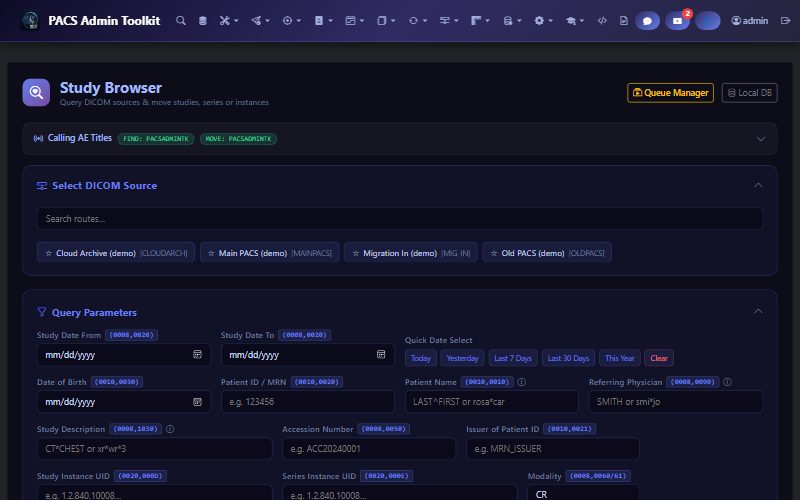
Study Browser for any archive
Query any configured PACS or device by date, patient, accession, description, modality or UID, drill into series and images, and move the selection to one or more destinations.
Source groups and move pairs
Search several archives as one, either all at once with duplicates merged or in order until one answers, so a primary and a backup archive work as one source. Pair sources with their usual destinations for one-click moves with automatic fallback, and share each pair only with the roles, directory groups or people who need it.
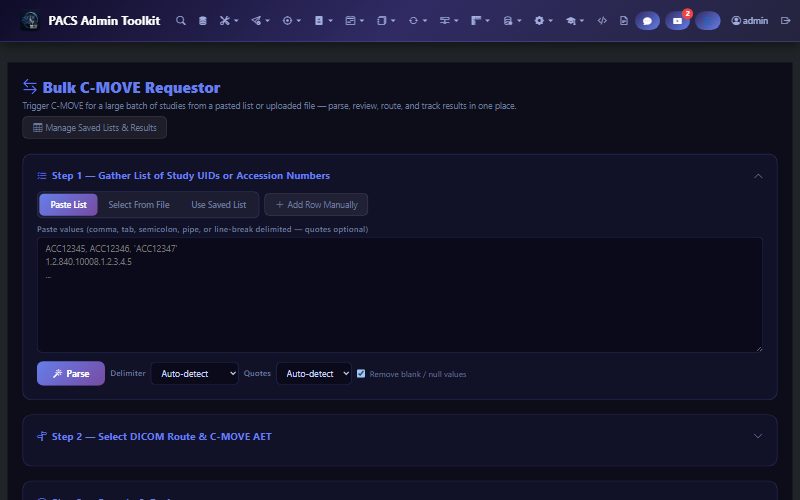
Bulk C-MOVE from a spreadsheet
Load a list of accessions, patient IDs or UIDs from CSV, Excel, XML or JSON; each row is found then moved, with NotFound and Failed rows retried and the whole job exported as an audit.
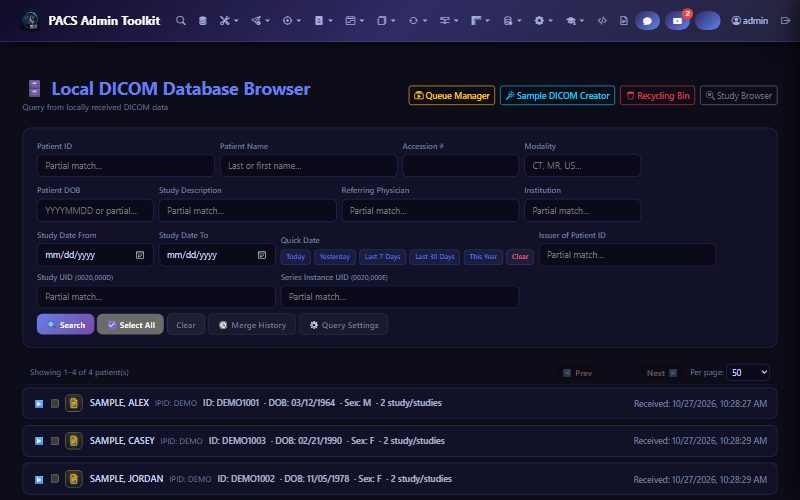
Local database browser
Search what this server stores, view it, send it, edit tags, anonymise copies, export ZIPs and attach paperwork, each action under its own permission.
Move, split, merge and delete
One workbench moves studies, series or single images, splits them into a new patient, study or series, or deletes stray series and images. It shows previews and a large image viewer, dates, times and instance numbers, finds the right destination on several fields at once, checks every change first and keeps an undo log. Deletes need a reason and stay in the recycling bin for a minimum hold.
Reference viewer and report viewer
Open stored studies with comparison priors, hanging protocols and per-user presets, and read reports side by side; for reference and technical work, not for diagnosis.
Outside media import
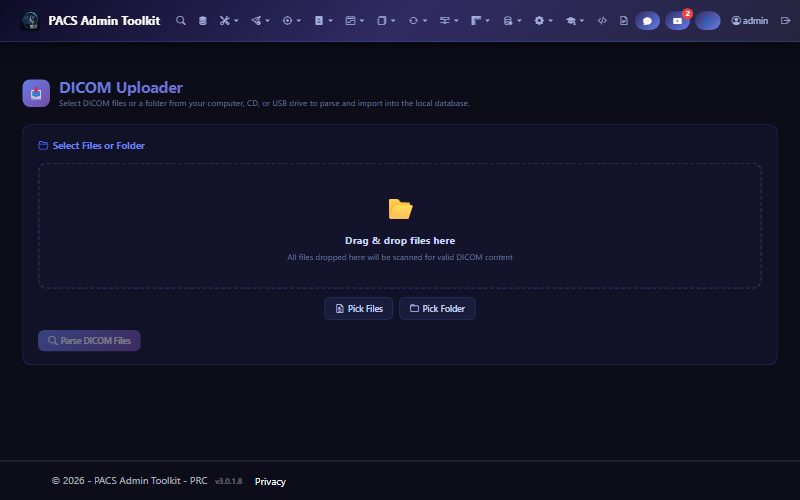
Drop a CD or folder; prefix patient IDs and accessions, file studies under an existing patient or assign new UIDs before anything is imported.
Documents into the study
Upload or scan paperwork, pick and crop pages, find the study by C-FIND and send it as Secondary Capture.
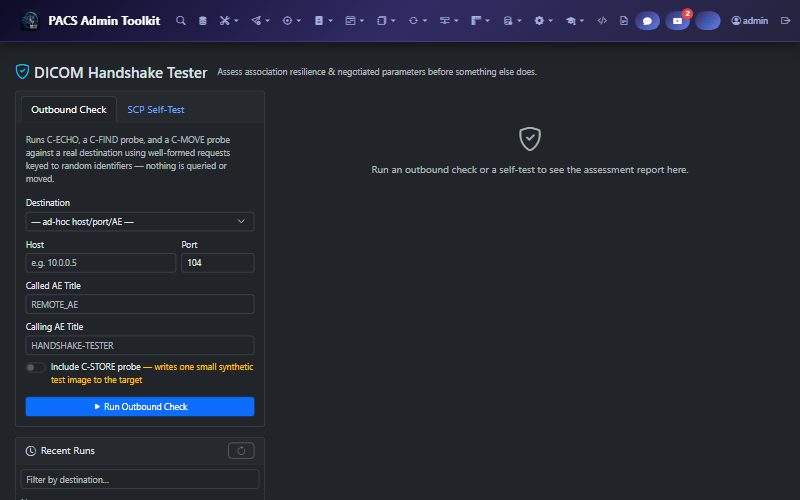
Connection testers
The Handshake Tester probes a destination with C-ECHO, C-FIND, C-MOVE and optional C-STORE, and stress-checks this server's own listeners; the Worklist Tester queries a worklist like a modality would.
Realistic test data
The Sample DICOM Creator makes studies for 26 modalities, up to 5,000 images per run, for testing routes and archives safely.
Safe housekeeping
Deletes go to a recycling bin first, patch jobs write edits to disk with retries, Store Reindex finds unindexed files, and protected studies stop a delete.
How it works
- Register systems. Add each PACS and device once in DICOM Destinations and prove it with the Handshake Tester.
- Find. Query a remote archive or a group of archives in the Study Browser, or the local store in the Local Database Browser.
- Move or send. C-MOVE selected studies, a whole spreadsheet, or C-STORE from the local store through the DICOM queue.
- View and fix. Check images, edit tags or merge patients; patch jobs rewrite the files in the background.
- Keep a record. Bulk jobs, queue items and edits are kept and exportable until their retention ends.
Use cases
Research export of 2,000 studies
Challenge. A research team sends a spreadsheet of accession numbers that must reach a de-identification gateway, and wants proof of what was sent.
With PATK. The Bulk C-MOVE Requestor loads the Excel file, runs three rows at a time against the PACS, and flags NotFound rows for correction and retry.
Outcome. The job finishes unattended, and the CSV audit goes straight to the research team.
Manual fetching for a multi-site radiology group
Challenge. A multi-site radiology group's PACS could not pull studies on demand from several archives to several destinations, so staff juggled vendor query screens.
With PATK. A dedicated PATK instance, rebranded as a "Manual DICOM Fetcher" with Config, Rebrand, gives staff the Study Browser and Bulk C-MOVE across every archive and destination.
Outcome. One screen for every on-demand fetch, branded for that single job, alongside the existing PACS.
Outside CDs at a busy imaging centre
Challenge. Patients bring CDs from other hospitals whose MRNs clash with local ones.
With PATK. The Uploader prefixes outside patient IDs or files the studies under the matched local patient, then the Local Database Browser sends them to the PACS.
Outcome. Outside studies reach the PACS under the right patient, without a desktop import tool on every front-desk PC.
New modality go-live
Challenge. A new ultrasound shows "no worklist" and will not send, on the morning it goes live.
With PATK. The Worklist Tester queries as the modality; the Handshake Tester shows whether the association is refused or the port is closed.
Outcome. The cause is found in minutes and fixed on the right system, without waiting for a vendor engineer.
Trust · Truth · Transform
Trust
Every action has its own permission; deletes are recoverable until purged; legal holds and keep policies stop deletes; merges can be rolled back.
Truth
Bulk jobs keep a row-by-row audit, testers keep their runs, and the queue shows every move and send with its error.
Transform
Requests that took a ticket and a wait become a few minutes in a browser, done by the people who need them.
Value model
An example regional imaging group handling ad-hoc DICOM requests in-house instead of through tickets and desktop tools.
| Assumption | Example value |
|---|---|
| Ad-hoc study retrievals per year (15 per working day) | 3,750 |
| Staff time saved per retrieval | 6 minutes |
| Outside CDs imported per year | 1,200 |
| Staff time saved per CD | 10 minutes |
| Bulk C-MOVE projects per year, 16 hours saved each | 4 |
| Connection problems diagnosed per year, 1.5 hours saved each | 24 |
| Blended PACS staff cost per hour | $55 |
| Estimated yearly value | $37,000 |
Illustrative only: every assumption is shown so you can replace it with your own numbers. Your results will differ.
Why it stands out
- Shared, not personal. Desktop DICOM utilities live on one laptop; PATK keeps jobs, results and audit on the server for the whole team.
- Bulk with proof. List-driven C-MOVE with per-row status and export replaces scripts that nobody else can read.
- Safe by default. Recycling bin, protected studies and patch jobs with retries guard against the mistakes ad-hoc tools allow.
- Fewer clicks, fewer wrong sends. Saved pairs put the right destinations first and can limit each team to the sources and destinations it uses.
- One platform. The same destinations, queue and login serve routing, prefetch, migration and reporting.
At a glance
| Standards | DICOM C-FIND, C-MOVE, C-STORE, C-ECHO, Modality Worklist C-FIND |
|---|---|
| Inputs | Remote archives, local store, CDs and folders, CSV / Excel / XML / JSON lists, scanned or uploaded documents |
| Tools | Study Browser, Bulk C-MOVE, Local Database Browser, viewer, Uploader, Sample Creator, testers |
| Housekeeping | Recycling bin with retention, patch jobs, Store Reindex, bulk job retention |
| Controls | Per-action permissions, source and destination pairs shared by role, directory group or user, protected studies, rollback for merges |
Screenshots
More in Imaging & Routing
DICOM Routing
Receive, fix and forward every image, with nothing lost when a destination goes down.
Priors Fetch
One click from the reading worklist to every prior, fetched to every place it is needed.
Prefetching & HL7 Fetching
The order arrives, and the right studies are already on their way to where they are needed.
Auto Forward Rules
Send each study to the right reader at the right time, without a second router.
Not a medical device. PACS Admin Toolkit is not FDA-cleared or CE-marked and is not intended for primary diagnosis. It manages imaging and reporting data and workflows around the clinical systems that do.
Other product and company names may be trademarks of their respective owners. Screenshots show sample data. Value models are illustrative estimates, not guarantees.