 3T Consults and Coaching
Prefetching & HL7 Fetching
The order arrives, and the right studies are already on their way to where they are needed.
HL7 orders drive DICOM retrieval: prefetch picks a patient's relevant priors by matching rules, and HL7 Fetching pulls the exact study an order names. Every pick, skip and move is logged with its reason.
The challenge
When the comparison study is not on the reading PACS, someone has to go and get it, often while the radiologist waits. Prefetch rules that should prevent this are hard to tune: they fetch too much, miss the study everyone wanted, and nobody can say why.
Other studies need to move because of an order too: an outside exam scheduled for a read, a study bound for an analysis platform. Interface-engine scripts do this today, with little visibility when they fail.
What it does
Orders in over MLLP
HL7 listeners acknowledge each order, drop duplicates inside a window, and run rule sets on any HL7 field to decide which workflows run.
Relevant priors, by rule
Prefetch workflows query the sources and fill six axes (most recent, description, body part, similar description, modality, keyword), each with its own quota.
Matching you can tune
Description normalizations, alias and body-part maps, priority boosts, contrast and anatomy guards, and cross-MRN searching with name verification.
Acceptance rules in plain blocks
Say which priors are worth fetching by study age (hours to years), modality, patient age, description or sex: radiographs from the last 10 years, or mammograms from the last 7, or anything for a patient under 25. Keep what matches or drop it, for prefetch and HL7 Fetching alike. Ready-made example groups are a starting point you set to your radiologists' preferences, and a built-in tester shows what the rules keep and drop on made-up studies, with the reason, before you save.
The exact study, when it exists
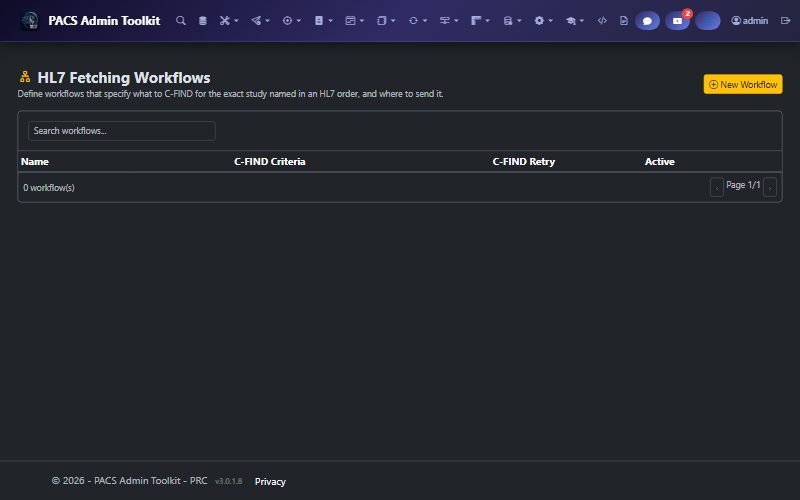
HL7 Fetching finds the study an order names by accession or Study UID and keeps searching on a timer until it reaches the source.
Missing studies, recovered on request
A reporting or analytics system that sees orders with no images can send them to the study recovery API. PATK finds each study by accession, or by Patient ID, study date and modality when the accession isn't found. It moves the study through a workflow you choose and reports every item back. The calling system can ask for the status or get a signed notice when the request is done, and a check-only call tells it whether images exist.
Primary first, backup when needed
Ask sources one at a time in priority order and stop at the first that has the patient or answers, so a primary that holds everything is the only one queried. Move to every destination, or try them in order until one succeeds. Routes that health checks see down are tried last automatically and return to their place when they recover. Alerts go to the right people for each route and workflow, after a delay you choose, with reminders and quiet hours, and say which backup is now in use.
Queries each system understands
When one system stores an identifier with a prefix or suffix another leaves off, simple rules reshape only the search sent to each source: strip or add text, replace, or run a Tag Editor template, per workflow or as a default for the source. A rule can also try both ways, searching with and without its change and merging what each finds. The move always uses the identifiers the search found, so a reshaped query never blocks it, and every order shows exactly what was sent.
Two workflows, one exam
Duplicate orders are suppressed per workflow, so one workflow can pull an exam into your archive while another, started minutes later, sends it on to a third system.
Only what is needed
Before a move, ask the destinations and any other systems you name whether they already hold a full copy of the study: skip it when any one has it, or only when all do and then send it just to the ones missing it. A partial copy is still sent. Prefetch also skips studies a home archive serves; HL7 Fetching can move only the series that match your conditions.
On your schedule
Delay the search itself, or keep it to run windows, when studies reach the source after the order. A hold after each move is queued, run windows and hold-until dates shift moves out of busy hours or give an upstream system time to gather a study, with a separate concurrency cap for released backlogs. When you know a study is ready, start its held moves at once, one by one or in bulk.
Complete studies, checked
An optional count check compares instance and series counts before and after each move, waits while a study is still arriving at the source, and retries a move that arrives short.
Prove it first
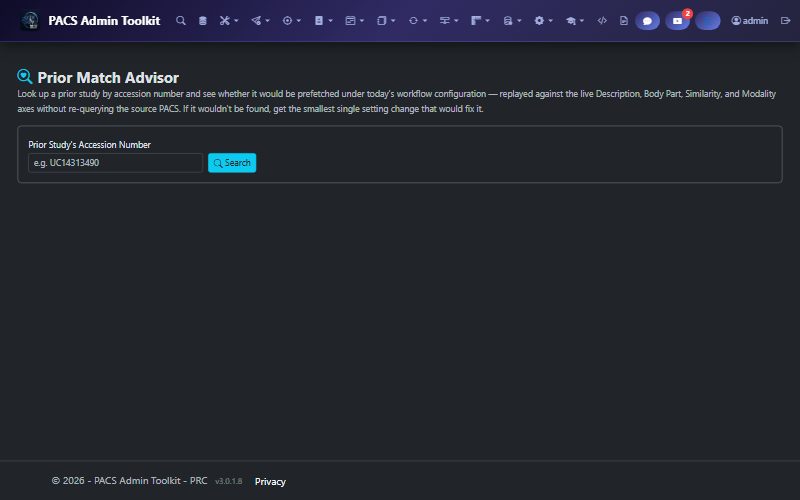
Simulate a workflow on one order against a built-in practice PACS, or against the real systems with queries only, and see what it would move, skip as already there, or keep on standby, and why. Demo Mode, for prefetch and HL7 Fetching alike, runs everything except the C-MOVE; the Prior Match Advisor replays past orders against a change before it goes live.
Selected and not, across thousands of orders
Selection reports show which studies each workflow picked and which it passed over, with the reason and the move outcome, the description pairs most often missed, and breakdowns by reason, modality, workflow and source. Export them as spreadsheets or PDF summaries with charts, de-identified when they leave the team.
Replay before you change
Run weeks of past orders through a saved workflow or a draft copy, from the stored search results or with fresh queries only, and see every newly selected and newly rejected study before the change reaches a live order. Apply the draft to the workflow when it is right.
How it works
- Order arrives. The RIS or EHR sends an HL7 order; PATK acknowledges and logs it.
- Rules decide. Duplicate checks and rule sets pick the workflows to run.
- Sources queried. Healthy sources are C-ECHOed and C-FINDed for the patient or the named study, all at once or one at a time in priority order.
- Studies chosen. Prefetch scores priors on its axes; HL7 Fetching takes the study the order names.
- Moves queued. C-MOVEs go to each destination with retries, schedules and a stuck-move watchdog.
Use cases
Priors ready before the read at a hospital network
Challenge. CT and MR priors live in the enterprise archive, and readers keep asking for studies the old prefetch missed.
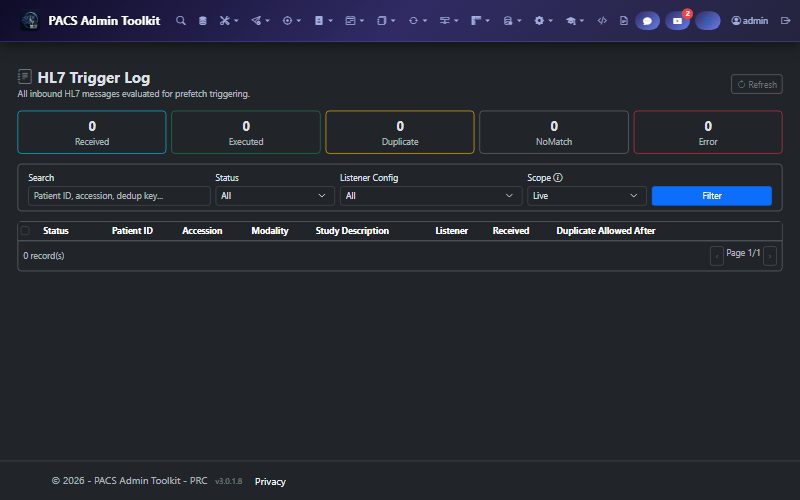
With PATK. A prefetch workflow runs in Demo Mode for a day; the Trigger Log shows abbreviated descriptions as the cause, and a mapping plus a priority rule fix them before go-live.
Outcome. Prefetch decisions the radiologists can read and the PACS team can change, checked against real orders first.
Workflow-driven fetching for an AI platform
Challenge. A multi-site radiology group needed studies sent to an AI analysis platform when specific orders arrive, without manual sends.
With PATK. A dedicated, rebranded PATK instance receives HL7 triggers, C-FINDs the source archive and C-MOVEs the matching studies to the AI platform, retrying until the study arrives.
Outcome. Studies reach the analysis platform as part of the order workflow, with every trigger and move logged.
Priors under a partner hospital's MRN
Challenge. Patients transfer from a partner hospital whose studies sit in the same archive under different MRNs.
With PATK. Patient search picks how sources are asked: by Patient ID, by name and birth date alone, or by name only when the ID finds nothing. Name verification and name equivalences drop near misses, and a C-FIND preview shows every key each source is sent before anything is saved.
Outcome. Partner priors are fetched with the order, and each exclusion is logged with its name score.
Backlog moves outside clinical hours
Challenge. A large batch of outside studies must reach the reading PACS without slowing the archive during the day.
With PATK. An HL7 Fetching workflow finds each study when the order arrives but holds its move for a 02:00 to 06:00 window with a lower concurrency cap.
Outcome. The archive keeps its daytime performance, and the studies are on the PACS by morning.
Trust · Truth · Transform
Trust
Duplicate orders are suppressed, unhealthy sources are skipped, stuck moves are re-queued, and Demo Mode tests changes without moving a single study.
Truth
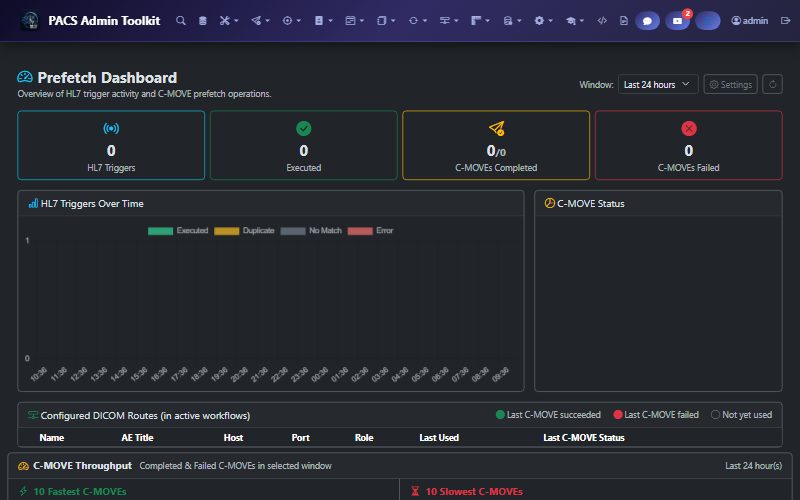
The Trigger Log records each order, each source's results and the reason every prior was or was not chosen; dashboards show moves by result.
Transform
Studies are where readers and platforms need them when the order arrives, instead of being requested by hand afterwards.
Value model
An example 150,000-exam-a-year network moving from manual retrievals to order-driven prefetch and fetching.
| Assumption | Example value |
|---|---|
| Exams per year | 150,000 |
| Exams whose priors live in another archive | 60% (90,000) |
| Manual retrieval requests avoided (5% of those exams) | 4,500 |
| Staff time per manual retrieval | 8 minutes |
| Outside or archived studies fetched by order per year | 3,000 |
| Staff time saved per fetched study | 5 minutes |
| Blended PACS staff cost per hour | $50 |
| Estimated yearly value | $42,500 |
Illustrative only: every assumption is shown so you can replace it with your own numbers. Your results will differ.
Why it stands out
- Explains every decision. Each pick and skip has a reason, and the advisor suggests the setting to change, where typical prefetch engines are a black box.
- Two jobs, one module. Relevant-priors prefetch and exact-study HL7 fetching share routes and monitoring but keep separate rules and queues.
- Safe to change. Demo Mode, side-by-side workflow copies and bulk replays of past orders let you tune without moving anything, and measure the effect before it goes live.
- One platform. Orders, routing, priors browsing and worklist share one product, one login and one audit trail.
At a glance
| Standards | HL7 v2 orders over MLLP with ACK; DICOM C-ECHO, C-FIND and C-MOVE at study and series level |
|---|---|
| Triggers | Listeners with field mappings, duplicate windows, sending-application and message-type filters, rule sets |
| Matching | Six axes with quotas, normalizations, description and body-part maps, priority rules, patient search modes (ID, name + birth date, or both) with name checks and a key-by-key C-FIND preview, acceptance rule blocks (study age, modality, patient age) with example groups and a synthetic-data tester |
| Delivery | Multiple sources in priority order, multiple destinations, first-success order, automatic failover, already-there checks (any or all), C-FIND delays and run windows, move holds and run windows, instance and series count check, retries, watchdog |
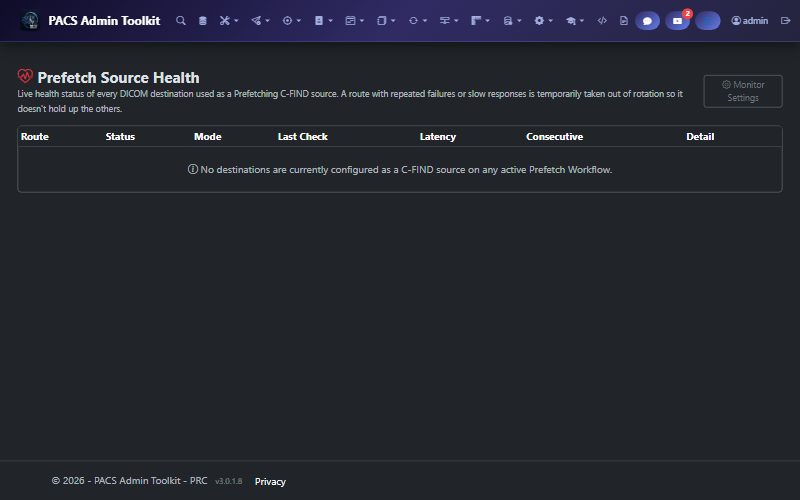
| Monitoring | Dashboards, Trigger Logs, C-MOVE queues, Source Health with e-mail alerts, Prior Match Advisor, workflow simulation |
| Reporting | Selected vs not-selected reports with reasons and outcomes, bulk replays (stored or fresh C-FIND, saved or draft settings), XLSX and PDF exports with optional de-identification |
Screenshots
More in Imaging & Routing
DICOM Routing
Receive, fix and forward every image, with nothing lost when a destination goes down.
DICOM Tools
Find, move, import, test and tidy studies from one browser, without a ticket to the PACS vendor.
Priors Fetch
One click from the reading worklist to every prior, fetched to every place it is needed.
Auto Forward Rules
Send each study to the right reader at the right time, without a second router.
Not a medical device. PACS Admin Toolkit is not FDA-cleared or CE-marked and is not intended for primary diagnosis. It manages imaging and reporting data and workflows around the clinical systems that do.
Other product and company names may be trademarks of their respective owners. Screenshots show sample data. Value models are illustrative estimates, not guarantees.