 3T Consults and Coaching
PACS Migration
Move every study from the old PACS to the new one, fix tags on the way, and prove it arrived.
Runs PACS-to-PACS migrations with DICOM C-MOVE from a study list you build, on schedules that respect both systems' load, and verifies every study's image count at the destination. Tag changes and multi-million-row ID crosswalks can be applied to every image on the way.
The challenge
Replacing a PACS, consolidating archives after an acquisition or retiring a legacy system all end in the same project: millions of images that must leave one system and arrive, complete, in another. Migration services usually charge per study, run on their timetable, and report progress as a spreadsheet you have to take on trust.
The hard part is rarely the copy. It is knowing which studies are missing, keeping the old PACS fast enough for daily work while it is being emptied, and fixing patient IDs, issuers and institution names that the new system needs different.
What it does
A study list from anywhere
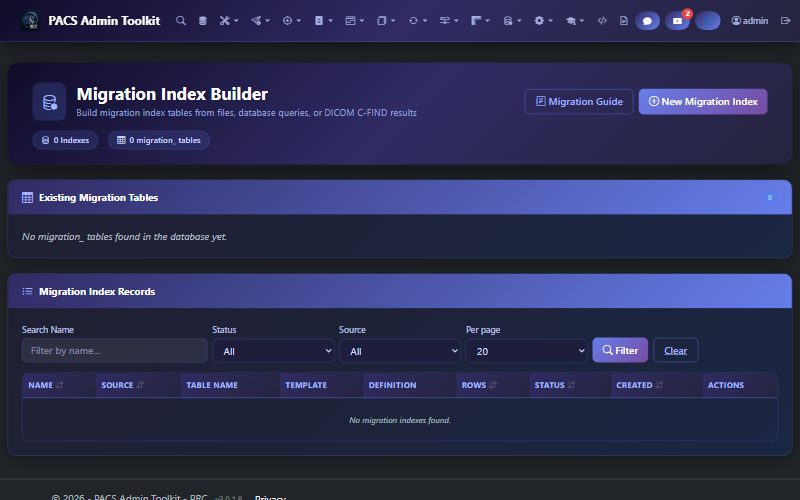
Build the index from a CSV, Excel, JSON or XML file, a database query on a saved connection (built from plain fields, converted from a JDBC address and tested before use), or a C-FIND by date range that runs day by day and can be resumed.
C-MOVE, one study at a time
PATK asks the source to send each study by StudyUID, or by accession number resolved with a C-FIND first.
Verified, not assumed
C-MOVE and Verify compares every study's image count at the destination or a separate verify route and re-requests missing images automatically.
Paced around clinical work
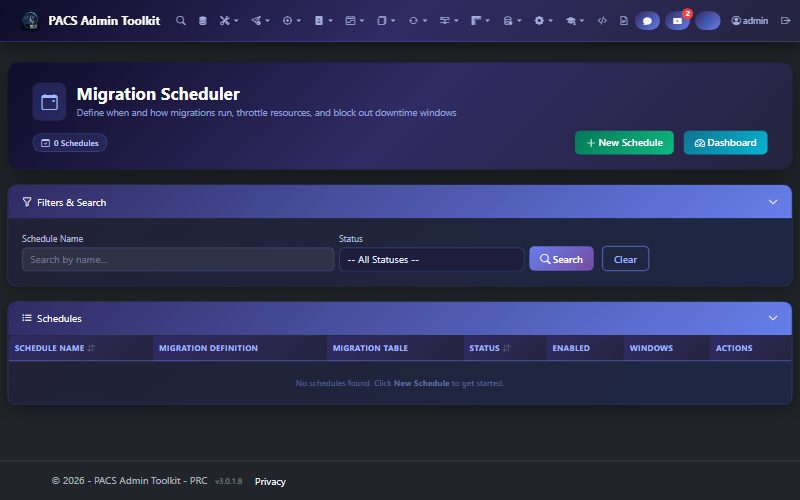
Threads, studies per day, run windows with their own limits, blackout dates, and automatic slow-down when this server's CPU or RAM is high.
Watches the other servers too
Server probes read CPU, RAM and disk load from the destination PACS or archive (Windows over WinRM or DCOM, Linux over SSH) and throttle the migration when one is busy.
Tag changes on the way
Routed through a PATK listener, every image can get fixed values, ID swaps, description clean-ups or custom AND / OR mappings, stored and forwarded or passed straight through.
Crosswalks of any size
Load multi-million-row old-to-new ID files in pieces; conflicts, chains, ambiguous and too-long rows are flagged, Impact shows how many studies will change, and Try it shows a study before and after.
Alerts and progress e-mails
Failure, stall, load and service alerts, plus daily, weekly and end-of-run progress reports.
How it works
- Destinations. Add the source, destination and optional verify system, and C-ECHO each.
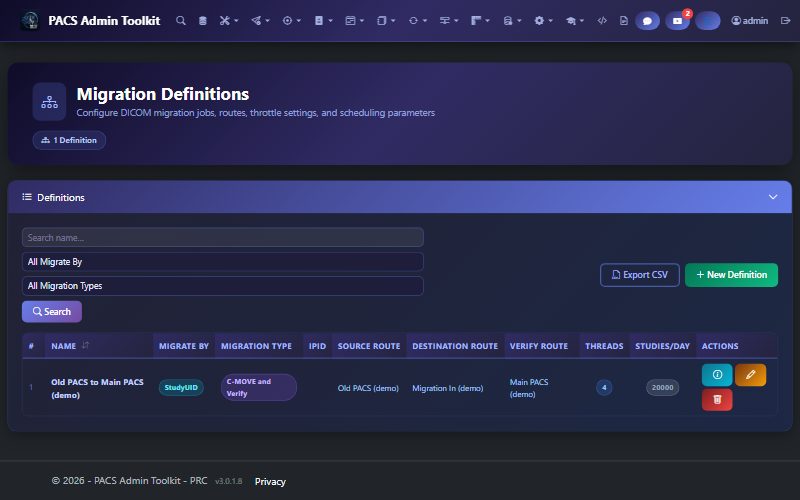
- Definition. Choose StudyUID or accession, C-MOVE and Verify, and how hard to push.
- Index. Import the study list and approve it after a 20-row preview.
- Tag changes. Optional: set values or load a crosswalk, check Impact and try it on a study.
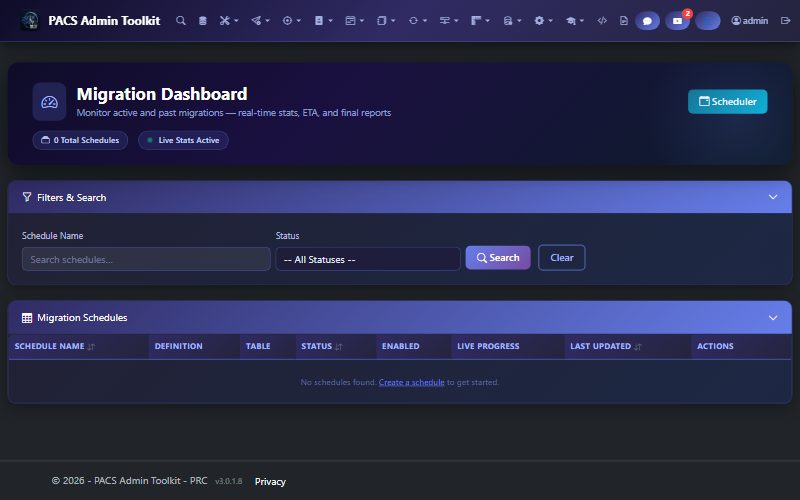
- Schedule and verify. Run in windows; the dashboard tracks every study to VerifyComplete.
Use cases
Retiring an end-of-life PACS
Challenge. Five years of studies must move to the new PACS before the old system's support contract ends, without slowing it for daily reading.
With PATK. A C-FIND index covers the five years day by day; a 25-study pilot is checked, then the full list runs weeknights and weekends with a month-end blackout and verify on.
Outcome. The old PACS is emptied on a predictable timetable, and every study has a verified image count before it is switched off.
A multi-site radiology group consolidating PACS
Challenge. A multi-site radiology group moves studies between PACS as sites join and systems are replaced, and wants each project run by its own team.
With PATK. The group runs PATK for its PACS-to-PACS migrations, in an instance rebranded under Config for the migration work, with definitions, schedules and server probes per project.
Outcome. Migrations run in-house on the group's own timetable, with the dashboard, not a vendor spreadsheet, as the record of progress.
Acquisition with a new MRN and issuer
Challenge. An acquired hospital's studies must move into the main PACS under enterprise MRNs from a 4-million-row crosswalk, with a new institution name and issuer.
With PATK. The migration runs through a PATK listener; Swap IDs loads the crosswalk, fixed values set institution and issuer, Impact and Try it confirm the result, and the bulk runs forward only after the pilot.
Outcome. Studies arrive already carrying the identifiers the main PACS expects, and the migration table records what changed on each one.
Trust · Truth · Transform
Trust
The source PACS is never modified, UIDs are never changed, every study is verified by image count, and the migration slows itself when this server or a watched server is busy.
Truth
Every study has a status from queued to VerifyComplete; errors, verify retries and failures list their reason, and the tag-changes panel shows how many studies and images were changed.
Transform
A project that used to need a per-study service and weekly status calls runs in-house, at night, and e-mails you its progress.
Value model
An example 400,000-study legacy archive migrated in-house instead of by a separate per-study migration service.
| Assumption | Example value |
|---|---|
| Studies to migrate | 400,000 |
| Per-study fee of a separate migration service, avoided | $0.50 ($200,000) |
| Reconciliation hours saved by verify and error lists instead of spreadsheets | 120 hours |
| Blended staff cost per hour | $55 ($6,600) |
| Months of legacy support avoided by finishing earlier | 3 |
| Legacy PACS support cost per month | $4,000 ($12,000) |
| Estimated project value | $218,600 |
Illustrative only: every assumption is shown so you can replace it with your own numbers. Your results will differ.
Why it stands out
- Owned, not rented. Migrations run on your schedule with your staff, where a separate migration service charges per study and decides the pace.
- Proof built in. Image-count verification with automatic re-requests replaces the spreadsheet reconciliation that scripted C-MOVE batches leave behind.
- Tag changes without a second project. IDs, issuers, institutions and descriptions are corrected on the way, with Impact and Try it, instead of a clean-up after the data has landed.
- Moving off a legacy router, worklist or prefetch product too?. The Laurel Bridge configuration import is part of the core platform and reads Compass, Waypoint and Navigator exports.
At a glance
| Standards | DICOM C-FIND, C-MOVE, C-ECHO, C-STORE (through a PATK listener) |
|---|---|
| Study lists | CSV / TXT / Excel / JSON / XML files, database queries, C-FIND by date range |
| Verification | Image counts per StudyInstanceUID at the destination or a verify route, automatic re-requests |
| Pacing | Threads, studies per day, run windows, blackout dates, CPU / RAM limits, server probes |
| Tag changes | Fixed values, ID swaps, description lists and find and replace, AND / OR custom mappings; with the MPI toolset, an MPI crosswalk to the new system's IDs with a pre-flight list |
| Notifications | Failure, stall, load and service alerts; daily, weekly and end-of-run reports (SMTP) |
Screenshots
More in Data Lifecycle
Local Bulk Updater
Correct patient IDs, issuers and institution names on stored studies, previewed, paced and reversible.
Study Retention Policies
Keep what the law and your records officer require, release the rest, and prove it.
Not a medical device. PACS Admin Toolkit is not FDA-cleared or CE-marked and is not intended for primary diagnosis. It manages imaging and reporting data and workflows around the clinical systems that do.
Laurel Bridge, Compass, Navigator and Waypoint are trademarks or registered trademarks of Laurel Bridge Software, Inc. PACS Admin Toolkit is an independent product of 3T Consults and Coaching and is not affiliated with, sponsored by, or endorsed by Laurel Bridge Software, Inc.
Other product and company names may be trademarks of their respective owners. Screenshots show sample data. Value models are illustrative estimates, not guarantees.