 3T Consults and Coaching
Modality Worklist
HL7 orders in, the right worklist out to every modality, with nothing re-typed.
A complete DICOM Modality Worklist server fed by your RIS or EHR orders. Per-device rules, query rewriting and a built-in simulator give every room exactly the list it needs.
The challenge
Every exam that starts with a technologist typing a name, a birth date and an accession number is an exam that can end up in the PACS under the wrong patient. Those mismatches surface hours later as "broken" studies that a PACS administrator has to find, investigate and merge by hand.
Worklist brokers that should prevent this are often a black box: a modality sees too many orders, or none, and nobody can show why. Changing one is risky because there is no way to prove the new list matches the old one.
What it does
Orders straight from HL7
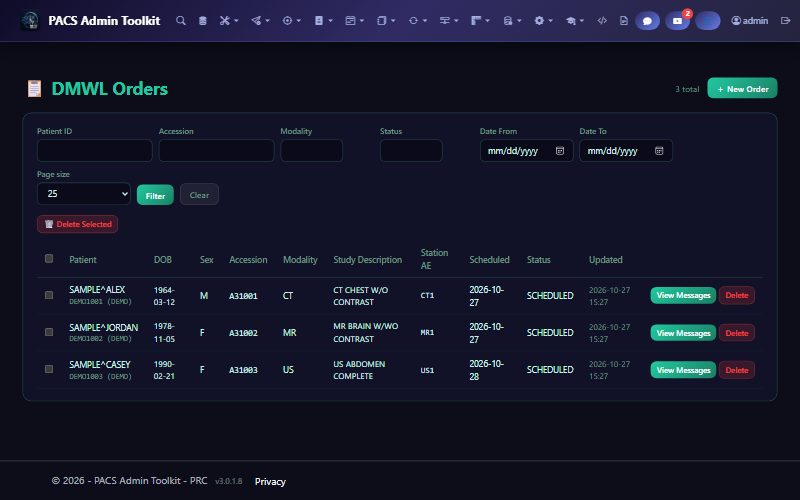
MLLP listeners receive ORM and ADT messages from the RIS, EHR or interface engine, acknowledge them and turn them into worklist orders.
Mappings you can test
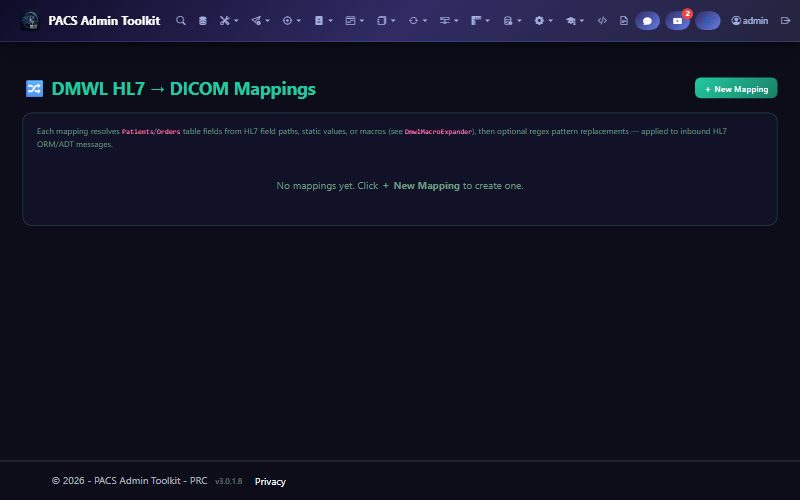
Map any HL7 field to any patient, order or extra DICOM worklist field, with composites, macros and pattern replacements, and check every value against a real sample message before saving.
Rules by content, sender or time
HL7 rules choose a mapping per message, so a second hospital or a new order type gets its own handling without touching the first.
A list shaped for each room
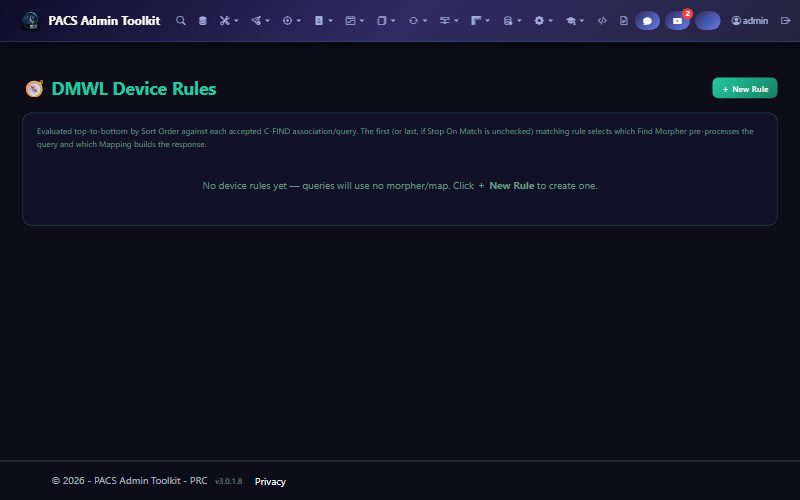
Allowed devices admit modalities by AE title, IP range and port; device rules and Find Morphers rewrite their queries (today only, CR also shows DX, one station only).
Patient updates follow through
ADT updates and merges move orders to the surviving patient and correct the copies modalities receive.
Pull in other worklists
External providers query another worklist server every five minutes and serve those orders alongside your own.
Proof before go-live
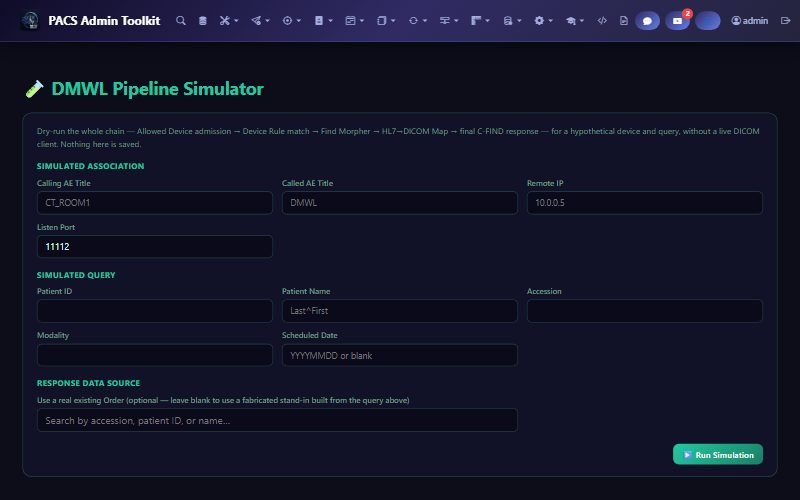
The Pipeline Simulator walks a query through admission, rules, morpher and mapping; the Parity Checker asks the old worklist server and PATK the same question as every modality and compares the answers.
Everything logged
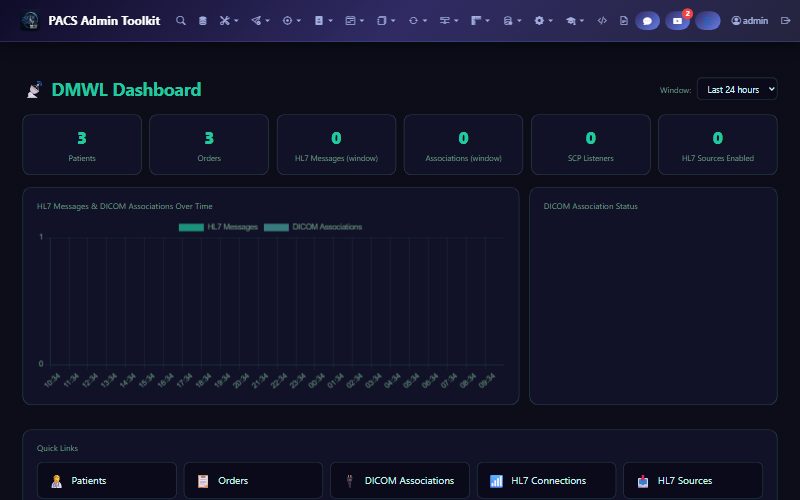
Every HL7 message (Routed, NoMatch, Error) and every modality association is recorded, with a dashboard over both.
How it works
- Orders arrive. The RIS sends ORM/ADT over MLLP; PATK acknowledges each message and logs it.
- Rules and mappings. The matching HL7 rule picks a mapping that builds the patient and order.
- Modality asks. A scanner sends a C-FIND worklist query; its allowed-device entry admits it.
- Query shaped. A device rule applies a Find Morpher and response mapping for that room.
- List returned. Matching orders go back with the standard worklist fields and any extras you mapped.
Use cases
Outpatient imaging centre, five modalities
Challenge. Technologists type demographics for walk-in and scheduled patients; misspelled names create unmatched studies every week.
With PATK. Orders from the RIS land on each scanner's worklist; a Find Morpher limits each room to today's orders for its own station.
Outcome. Demographics come from the order of record, and the weekly clean-up of mismatched studies shrinks to the exceptions.
Hospital network adding a second facility
Challenge. A newly acquired hospital sends orders from a different RIS with different field conventions.
With PATK. A second HL7 source and rule route that hospital's messages through their own mapping; device "serve only" settings keep each site's modalities on their own orders.
Outcome. One worklist service for both sites, set up in an afternoon, with no change to the first site's configuration.
Replacing an end-of-support worklist broker
Challenge. The existing broker is out of support, but nobody can say exactly what each modality receives today.
With PATK. External providers pull the legacy worklist during transition; the Parity Checker compares both servers' answers for every modality's query.
Outcome. A cut-over decided on evidence, room by room, with a documented match.
Trust · Truth · Transform
Trust
Modalities are admitted by AE title, IP range and port; senders by address; every message and association is logged, and patient merges correct the worklist copies too.
Truth
See exactly why a room got the list it did: the simulator shows each step, and the dashboard shows HL7 and modality traffic over time.
Transform
Technologists pick the patient instead of typing; administrators stop chasing demographic mismatches and change rules in minutes, not change tickets.
Value model
An example 120,000-exam-a-year department moving from manual entry (or an opaque broker) to a managed worklist.
| Assumption | Example value |
|---|---|
| Exams per year | 120,000 |
| Exams that would otherwise need manual demographic entry | 25% (30,000) |
| Technologist time saved per manual entry | 1.5 minutes |
| Mismatched studies avoided per year (0.5% of manual entries) | 150 |
| PACS administrator time to find and fix one mismatched study | 20 minutes |
| Blended staff cost per hour | $45 |
| Estimated yearly value | $36,000 |
Illustrative only: every assumption is shown so you can replace it with your own numbers. Your results will differ.
Why it stands out
- Testable, not a black box. The simulator and parity checker show what a modality receives before it does, which stand-alone brokers rarely offer.
- Part of the same platform. Orders, routing, prefetch and reporting live in one product with one login, one audit trail and one support contract.
- Changes without downtime. Rules, mappings and devices change from the browser; configuration exports copy a tested setup from test to production.
- Built for multi-site. Facility and site ownership limits each modality to its own orders when Access Topology is licensed.
At a glance
| Standards | DICOM Modality Worklist (C-FIND), C-ECHO; HL7 v2 ORM and ADT over MLLP with ACK |
|---|---|
| Inputs | HL7 listeners (one or many), external worklist servers polled every 5 minutes |
| Controls | Allowed devices (AE, IP / CIDR, port, connection caps), HL7 rules, device rules, Find Morphers |
| Tools | Pipeline Simulator, Worklist Parity Checker, configuration import / export |
| Housekeeping | Hidden order statuses, result limits, order retention |
| Master Patient Index | With the MPI toolset: each device can receive the patient's other confirmed IDs (and the MPI ID) in Other Patient IDs Sequence |
Screenshots
More in Orders & Worklist
Not a medical device. PACS Admin Toolkit is not FDA-cleared or CE-marked and is not intended for primary diagnosis. It manages imaging and reporting data and workflows around the clinical systems that do.
Other product and company names may be trademarks of their respective owners. Screenshots show sample data. Value models are illustrative estimates, not guarantees.